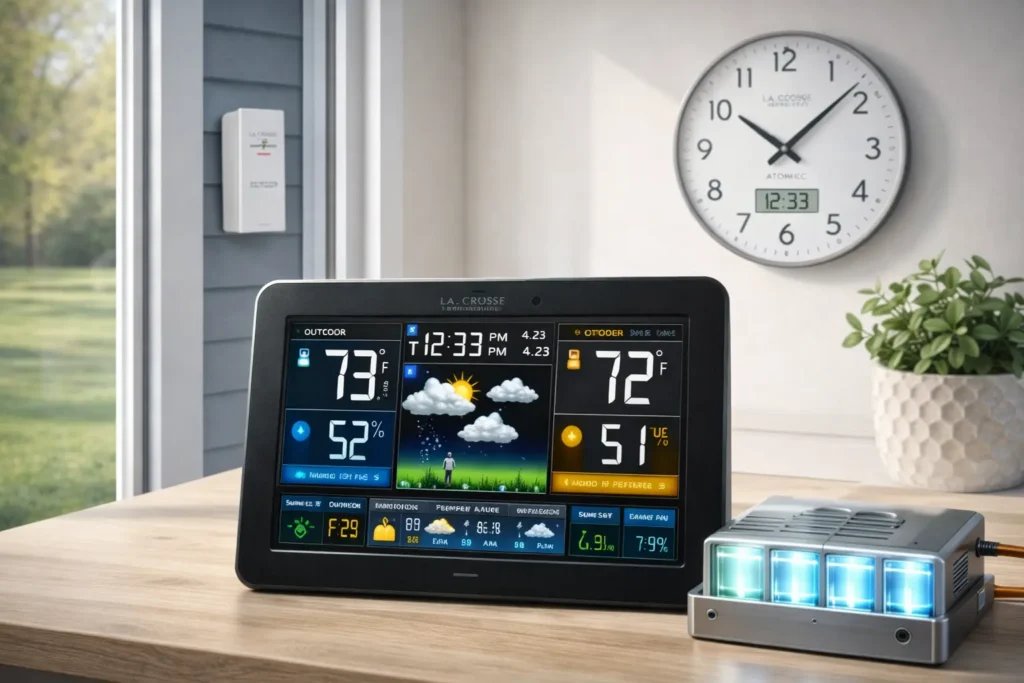
Walk through the aisles of nearly any American home-goods retailer and you’re almost certain to find a La Crosse Technology product: a wall clock with a crisp digital display, a compact weather station relaying real-time temperature readings from the backyard sensor, or a precision atomic clock quietly synchronizing itself to the national standard. For more than four decades, this Wisconsin-based company has occupied a distinctive niche — making professional-grade monitoring tools that feel at home in an everyday kitchen or living room.
La Crosse Technology is a family-owned company headquartered in La Crosse, Wisconsin, founded in the mid-1980s by Allan McCormick. What began with the distribution of grandfather clocks grew into a full-scale innovation enterprise that pioneered radio-controlled (atomic) timekeeping for American consumers and later brought the first internet-powered home weather stations to market. Today the brand is considered an industry leader in easy-to-use weather stations, atomic clocks, thermometers, and battery chargers — all built on a philosophy that blends American ingenuity with stylish, accessible design.
This guide covers everything: the company’s history, its full product lineup, how to choose the right model for your needs, how to set up and use the companion apps, troubleshooting the most common issues, and answers to the questions real owners ask most.
A Legacy of Precision: The La Crosse Technology Story
The story of La Crosse Technology is, in many ways, the story of how accurate timekeeping and environmental awareness moved from professional labs and weather bureaus into the American home.
Humble Beginnings in La Crescent, Minnesota
Allan McCormick founded the company in La Crescent, Minnesota, in the early 1980s (sources vary between 1983 and 1985) as a distributor of grandfather clocks and European timepieces. At the time, precision timekeeping was the domain of scientific institutions — but McCormick saw an opportunity to bring that precision to everyday consumers. The company eventually relocated its headquarters across the Mississippi River to La Crosse, Wisconsin, where it remains a cornerstone of the local business community.
| WHAT’S IN A NAME? |
| The brand shares its name with the city of La Crosse, Wisconsin — not to be confused with the sport. |
| La Crosse sits along the Mississippi River and is home to a tradition of craftsmanship and manufacturing |
| that aligns with the company’s ‘small-town philosophy’ of building things that last and work as promised. |
From Atomic Time to the Internet of Things: Key Innovations
La Crosse Technology’s most significant early innovation was introducing the radio-controlled clock — often marketed as an “atomic clock” — to mainstream American consumers in 1991. These clocks receive a continuous low-frequency radio signal broadcast by the National Institute of Standards and Technology (NIST) from Fort Collins, Colorado. The signal carries the exact time from the cesium atomic clocks that define official U.S. time, allowing any receiver to synchronize itself automatically, down to the second.
Atomic clocks don’t contain radioactive material — they’re called ‘atomic’ because their timekeeping is ultimately derived from the oscillations of cesium atoms at the national standard. Your La Crosse clock is simply a precise radio receiver.
The practical result for consumers: a clock that never needs manual setting, automatically adjusts for Daylight Saving Time, and stays accurate for years without any intervention. It was a genuinely useful innovation that removed a small but persistent frustration from daily life.
In 2004, La Crosse Technology secured a licensing partnership with The Weather Channel, lending its weather data products the weight of one of America’s most recognized meteorological brands. Then in 2008, the company introduced the first internet-powered home weather station — a major leap forward that allowed users to monitor conditions remotely, share data with global weather networks, and access readings from a smartphone long before “smart home” became a mainstream concept.
Company Timeline
| 1983–85 | Founded by Allan McCormick in La Crescent, Minnesota, as a distributor of fine timepieces. |
| 1991 | Radio-controlled clocks introduced to the U.S. market — making atomic-accurate timekeeping accessible to everyday consumers for the first time. |
| 2004 | Weather Channel partnership — La Crosse Technology licenses The Weather Channel brand, boosting the credibility of its weather monitoring line. |
| 2008 | First internet-powered home weather station — remote monitoring via a connected gateway brings professional-grade data to home users. |
| 2010s | Mobile app ecosystem — La Crosse View and La Crosse Alerts Mobile apps launch, enabling real-time remote monitoring on iOS and Android devices. |
| Today | Still headquartered in La Crosse, WI. A multinational, family-owned company with a broad portfolio sold across North America and beyond. |
La Crosse Technology Product Families
La Crosse Technology organizes its catalog into distinct product families, each addressing a specific need. Here is a complete overview of what the brand offers.
Weather Stations & Remote Monitoring Systems
Weather stations are the flagship category, and the range is extensive — from simple indoor/outdoor thermometers to full multi-sensor professional systems that log data over time and push readings to the cloud.
WIRELESS HOME WEATHER STATIONS
The most popular La Crosse products for homeowners. A typical wireless weather station includes an indoor base display and one or more wireless outdoor sensors. The outdoor sensor transmits temperature, humidity, and sometimes barometric pressure readings to the base unit at regular intervals — usually every 30 to 60 seconds. Many models also show a weather forecast icon based on pressure trends, moon phase, and time/date. Wireless range varies by model but commonly falls between 100 and 330 feet (line-of-sight).
INTERNET-CONNECTED (WI-FI) WEATHER STATIONS
La Crosse’s Wi-Fi-enabled stations add a gateway or bridge device that connects to your home router, pushing sensor data to the La Crosse View cloud platform. This enables remote monitoring from anywhere via the companion app, data logging, and the ability to set custom alerts — for example, if the temperature in a greenhouse drops below a threshold overnight.
ADD-ON & REMOTE SENSORS
One of the most practical aspects of the La Crosse ecosystem is its modular sensor system. Compatible weather stations can pair with multiple additional sensors, letting you monitor specific areas independently.
- Temperature and humidity sensors for indoor or outdoor use
- Rain gauge sensors with tipping-bucket mechanism
- Wind speed and direction sensors
- Soil moisture sensors (select professional systems)
- Pool and water temperature probes
Atomic Clocks & Precision Timekeeping
Timekeeping is where La Crosse Technology began, and the product line remains strong. All radio-controlled models automatically synchronize to the NIST time signal and adjust for Daylight Saving Time without any manual input.
WALL & DESK CLOCKS
Ranging from minimal frame designs to large-format displays with integrated indoor temperature and humidity readouts. Many models also display the date, day of week, and a comfort level indicator. These are practical, stylish accents suited for kitchens, offices, schools, and commercial spaces.
PROJECTION CLOCKS
A popular La Crosse specialty. Projection clocks beam the time and temperature onto a wall or ceiling, allowing you to check the time from bed without picking up a device. Projection brightness and focus are typically adjustable, and the projection arm can rotate 180 degrees to aim at wall or ceiling.
WATCHES
The watch line brings the same radio-controlled accuracy to the wrist. Solar-powered and radio-synchronized models offer indefinite accuracy with zero battery replacements — the solar cells keep the watch charged while the radio signal keeps it precise.
Thermometers
La Crosse offers standalone digital thermometers — both wired probe types for cooking and grilling, and wireless ambient thermometers for room or outdoor temperature monitoring. These are simpler, more affordable options than full weather stations for users who only need temperature readings.
Battery Chargers
The battery charger line is a practical complement to La Crosse’s sensor-heavy ecosystem, given how many of their products run on AA and AAA cells. Their chargers support Ni-MH rechargeable batteries and include conditioning modes that refresh aged batteries, extending their usable life. Some models provide individual charge-status readings for each slot — particularly useful when managing a large fleet of weather station sensors.
Choosing the Right La Crosse Technology Product
With dozens of models across several categories, selecting the right product depends on a few key questions: How much data do you want? Do you need remote access? How many locations do you want to monitor? Use the breakdowns below as a starting point.
Weather Station Comparison: Which Model Is Best for You?
| Best For | Station Type | Connectivity | Sensors Included | Key Feature |
| Beginners / First-time buyers | Basic Wireless | Stand-alone (no Wi-Fi) | 1 outdoor temp/humidity | Simple display, low cost, easy setup |
| Homeowners | Mid-Range Wireless | Stand-alone | 1–2 outdoor sensors, forecast icon | Barometric forecast, moon phase, multi-channel |
| Smart Home / Tech users | Wi-Fi Connected | Wi-Fi + La Crosse View app | 1 outdoor sensor + gateway | Remote access, data logging, custom alerts |
| Enthusiasts | Advanced Multi-Sensor | Wi-Fi + app | Multiple sensors (temp, wind, rain) | Full station data, historical graphs |
| Remote properties | Alert System | Wi-Fi + La Crosse Alerts Mobile | 1–4 remote sensors | Push & SMS alerts, ideal for cabins/garages |
La Crosse Technology vs. the Competition
How does La Crosse Technology measure up against other major players like AcuRite, Netatmo, and Ambient Weather? Each brand has genuine strengths, and the right choice depends on what you value most.
| La Crosse Technology — Strengths | Competitors — Where They Differ |
| U.S.-based customer supportExcellent mid-range valueLarge, readable displaysStrong sensor ecosystemAtomic clock integrationMilitary & first responder discountLong brand track record (40+ years) | AcuRite: Similar price; Atlas system at high endNetatmo: Sleek design; strong HomeKit integration; premium priceAmbient Weather: Enthusiast-grade; Wunderground integration; steeper learning curveDavis Instruments: Professional/scientific grade; significantly higher price |
For most homeowners who want a reliable, easy-to-use station with good app connectivity and solid support, La Crosse Technology sits in an attractive position: more refined than purely budget brands, less complex than enthusiast-grade systems, and backed by decades of experience.
Getting the Most from Your La Crosse Technology Products
La Crosse Technology’s connected products use one of two companion apps, each designed for a distinct use case. Knowing which app goes with your device — and how to get it set up correctly — is the single most important step after unboxing.
La Crosse View & Alerts Mobile Apps
| La Crosse View | La Crosse Alerts Mobile |
| Designed for Wi-Fi weather stations. Displays real-time sensor readings, historical data graphs, and customizable dashboards. Connects via a bridge gateway device. Available on iOS and Android. Best for homeowners who want to monitor multiple sensor locations and review historical trends. | Designed for the Alert system products. Focuses on push notifications and SMS alerts when sensors exceed user-defined thresholds. Ideal for remote monitoring of unoccupied properties — vacation homes, storage units, server rooms, greenhouses — where you need to know immediately if something goes wrong. |
Both apps require an active internet connection and a compatible gateway or bridge device. Minimum mobile OS requirements are typically iOS 12+ or Android 7.0+, though it’s always worth checking the current app listing for the latest requirements.
Setting Up Your Device
La Crosse Technology products follow a consistent setup pattern. Following these steps carefully will resolve the vast majority of connectivity issues before they start.
- Start with fresh batteries. Install new AA batteries in your outdoor sensor(s) first, before powering the base unit. Weak batteries are the leading cause of failed sensor pairing.
- Position sensors correctly. Place the outdoor sensor within the stated transmission range, away from large metal objects or dense walls that can block the signal. Avoid mounting directly in sunlight.
- Power the base unit. After installing sensor batteries, power the base display. It will enter a search mode automatically, seeking paired sensors. Allow up to 5 minutes.
- For Wi-Fi stations: Download the relevant app before starting. Follow the in-app setup flow to connect the gateway to your 2.4 GHz Wi-Fi network.
- Set your time zone and DST preferences on Wi-Fi-connected devices via the app.
| IMPORTANT: 2.4 GHZ WI-FI ONLY |
| La Crosse Technology gateways and bridge devices connect exclusively to 2.4 GHz Wi-Fi networks. |
| If your router broadcasts both 2.4 GHz and 5 GHz under the same SSID, you may need to temporarily |
| connect to the 2.4 GHz band specifically during setup, or separate them in your router settings. |
Mounting Your Outdoor Sensor
Sensor placement has a significant impact on reading accuracy. The World Meteorological Organization recommends placing temperature sensors at 4–6 feet above the ground, away from paved surfaces, in a shaded, well-ventilated location. La Crosse sensors typically ship with a bracket for fence or wall mounting. Avoid mounting under eaves or inside an enclosure that traps heat.
Troubleshooting Common Issues
The La Crosse Technology support center handles thousands of queries, and the same handful of issues account for the vast majority. Here are the most common problems and their solutions.
Outdoor Temperature Not Showing on Display
This is the single most frequently reported issue. In most cases, the cause is one of the following:
- Sensor batteries are depleted. Replace with fresh AA alkaline or lithium batteries (lithium recommended for cold climates).
- Sensor is out of range or obstructed. Move the sensor closer to the base unit, reducing walls and metal objects between them.
- The base unit was powered on before the sensor. Perform a Basic Restart (see below).
- The sensor channel doesn’t match the display. Check that the channel selected on the base unit (CH1, CH2, etc.) corresponds to the channel switch setting on the outdoor sensor.
How to Perform a Basic Restart
A Basic Restart resolves the majority of connectivity and display issues and should be your first troubleshooting step for any La Crosse product:
- Remove batteries from the outdoor sensor(s)
- Unplug the AC adapter and remove batteries from the base display
- Wait a full 2 minutes
- Install fresh batteries in the outdoor sensor(s) first
- Reconnect power to the base display
- Wait up to 5 minutes for the sensor signal to be acquired
Wind and Rain Sensors Not Updating (V41/V42 Models)
For stations with wind and rain sensors: confirm the thermo-hygro (temperature/humidity) sensor is communicating first — it acts as a “parent” transmitter for wind and rain data on some architectures. Also check that the anemometer connections are fully seated and the rain gauge funnel is clear of debris.
Data Not Updating in the La Crosse View App
- Confirm the gateway’s LED status light — it should be solid (not blinking or off). A blinking light typically indicates a Wi-Fi connectivity issue.
- Verify your router hasn’t changed its 2.4 GHz password or SSID since initial setup.
- Force-close and reopen the app, or use the in-app Refresh button.
- If issues persist, use the app’s re-registration flow to re-link the gateway to your account.
Finding Your Model Number
Your model number is essential when contacting support or downloading a specific manual. It’s printed on a sticker on the back of the base display unit or the sensor housing. Model numbers typically follow a format like C85845 or 308-1414. You can search for your model directly at the La Crosse Technology support site to find compatible accessories, firmware updates, and the correct manual download.
Battery Replacement Tips
- Always replace all batteries in a sensor at the same time — mixing old and new batteries accelerates drain
- Use lithium AA batteries in outdoor sensors if temperatures regularly drop below 20°F (-7°C)
- After replacing sensor batteries, always perform a Basic Restart to re-establish pairing
- The base display will typically show a low battery indicator for the sensor before it stops transmitting
faqs
Where is La Crosse Technology located?
La Crosse Technology is headquartered in La Crosse, Wisconsin, USA. The company was originally founded in La Crescent, Minnesota, before relocating to La Crosse, WI, where it remains today. Its customer support team is U.S.-based.
Is La Crosse Technology an American company?
Yes. La Crosse Technology is an American, family-owned company founded in the early 1980s. It is headquartered in La Crosse, Wisconsin, and maintains U.S.-based customer support. While it operates as a multinational company with global distribution, its roots and operations are firmly American.
Who founded La Crosse Technology?
La Crosse Technology was founded by Allan McCormick. He started the company as a distributor of high-quality European timepieces — including grandfather clocks — before pivoting to manufacture and innovate with radio-controlled clocks and weather monitoring equipment.
What is an atomic clock and how does it work?
La Crosse Technology’s ‘atomic clocks’ are radio-controlled clocks — they receive a low-frequency radio signal (WWVB, broadcast at 60 kHz) from the National Institute of Standards and Technology (NIST) in Fort Collins, Colorado. That signal carries the time derived from cesium atomic clocks at the national standard. Your La Crosse clock picks up this signal (usually overnight), compares its internal time, and adjusts automatically. The result is accuracy within one second over 300,000 years.
Are La Crosse Technology weather stations accurate?
Generally, yes — La Crosse Technology weather stations are considered accurate and reliable for home use. Temperature sensors typically carry a ±2°F (±1°C) accuracy rating. Actual reading accuracy is heavily influenced by sensor placement: sensors in direct sunlight, near pavement, or inside poorly ventilated enclosures will read artificially high. Following proper mounting guidelines — shaded, ventilated, 4–6 feet above ground — will yield readings very close to official weather station data for your area.
What is the difference between the La Crosse View and La Crosse Alerts Mobile apps?
La Crosse View is designed for Wi-Fi weather stations and provides real-time sensor readings, historical data graphs, and customizable monitoring dashboards. La Crosse Alerts Mobile is designed specifically for the Alert monitoring system and focuses on push-notification and SMS alerts when sensor readings cross user-set thresholds. Each app is compatible with specific product lines — always check your model number against the app compatibility list before downloading.
How do I reset my La Crosse Technology weather station?
Perform a Basic Restart: (1) Remove batteries from outdoor sensor(s). (2) Unplug and remove batteries from the base display. (3) Wait 2 full minutes. (4) Re-insert batteries into sensor(s) first. (5) Restore power to the base display. (6) Allow up to 5 minutes for sensor data to appear. This resolves the vast majority of connectivity and display issues.
Why is my outdoor temperature not showing on my La Crosse display?
The most common causes are: depleted sensor batteries (replace with fresh ones), sensor out of range or signal blocked by walls/metal, the base unit was powered before the sensor (perform a Basic Restart), or a channel mismatch between sensor and display. Check that the channel switch on the sensor matches the channel selected on the base display.
Where can I find the model number for my La Crosse Technology product?
The model number is printed on a sticker on the back or bottom of the base display unit and on the sensor housing. It’s required when downloading manuals, contacting support, or ordering replacement parts. Common formats include alphanumeric codes like C85845 or hyphenated codes like 308-1414.
Does La Crosse Technology automatically update for Daylight Saving Time?
Radio-controlled (atomic) clocks adjust for Daylight Saving Time automatically, as this information is encoded in the WWVB time signal. Wi-Fi-connected devices also update automatically via the app/server. Stand-alone non-radio clocks require a manual time-zone setting but typically still have a DST on/off switch that handles the hour change automatically on the correct date.
How do I connect my La Crosse weather station to Wi-Fi?
Download the appropriate app (La Crosse View or La Crosse Alerts Mobile) before starting. Open the app, create or log into your account, and follow the in-app device registration flow. You’ll be prompted to connect the gateway/bridge to your 2.4 GHz Wi-Fi network — have your network name and password ready. Note: most La Crosse gateways do not support 5 GHz networks.
What is the warranty on La Crosse Technology products?
La Crosse Technology products typically carry a limited warranty covering defects in materials and workmanship. Warranty periods and terms vary by product line. For current warranty information specific to your model, visit the La Crosse Technology support site and search for your model number, or contact their U.S.-based customer support team directly.
Where can I download a user manual?
User manuals and quick-start guides are available as free PDF downloads from the La Crosse Technology support website. Search for your product’s model number (found on the back of the device) to locate the correct manual. PDF manuals can be saved to your device for offline reference — useful during setup.
Does La Crosse Technology offer a military discount?
Yes. La Crosse Technology offers a dedicated discount program for active military, veterans, and first responders — a reflection of the company’s values and its connection to the communities it serves. Discount details and verification procedures are available on the company’s official website.
How do I replace the battery in my La Crosse Technology sensor?
Most outdoor sensors use standard AA batteries accessible via a sliding or screw-secured battery door on the back of the sensor. After replacing batteries, perform a Basic Restart to re-establish the sensor-to-display connection. For cold climates, use lithium AA batteries for better performance below freezing.
Trusted Support, Rooted in the USA
One of La Crosse Technology’s meaningful differentiators is its U.S.-based customer support team, operated out of La Crosse, Wisconsin. In an era when many consumer electronics brands route support through overseas call centers, La Crosse’s domestic team is a genuine value-add — particularly for older customers who may need patient, unhurried setup assistance.
How to Get Help
- Support Website: The primary resource for manuals, setup guides, firmware downloads, FAQs, and compatibility charts. Search by model number for product-specific results.
- Phone Support: U.S.-based support agents are available during business hours. The number is listed on the official La Crosse Technology website.
- Email / Web Ticket: For non-urgent issues, submitting a support ticket via the website typically yields a response within one to two business days.
- YouTube Channel: La Crosse Technology maintains an active YouTube channel with video setup guides, app walkthroughs, and product demonstrations — an excellent complement to written manuals for visual learners.
Warranty & Returns
All La Crosse Technology products are backed by a limited manufacturer’s warranty. Exact terms vary by product family. Keep your original purchase receipt, as it will be required for warranty claims. The support website is the best place to initiate a warranty claim, with the model number and purchase date on hand.
Military & First Responder Discount
La Crosse Technology offers a dedicated discount program for active military, veterans, and first responders — a reflection of the company’s values and its connection to the communities that define its home region. Discount details and verification procedures are available on the company’s official website.
| BEFORE YOU CONTACT SUPPORT |
| Have your model number ready (on the sticker on the back of the device), and note whether the issue |
| is with the sensor, the base display, the app, or the gateway. This will significantly speed up the |
| support interaction. Most issues are resolved by a Basic Restart — try that first. |
A Brand Built to Last
In forty-plus years, La Crosse Technology has navigated every shift in consumer technology — from analog clocks to digital displays, from stand-alone devices to cloud-connected ecosystems — while maintaining its identity as a family-owned company with a genuine commitment to quality and customer satisfaction. Whether you’re buying your first weather station or your tenth atomic clock, the brand’s combination of thoughtful design, practical features, and accessible pricing makes it one of the most dependable choices in the home monitoring category.

Adrian Cole is a technology researcher and AI content specialist with more than seven years of experience studying automation, machine learning models, and digital innovation. He has worked with multiple tech startups as a consultant, helping them adopt smarter tools and build data-driven systems. Adrian writes simple, clear, and practical explanations of complex tech topics so readers can easily understand the future of AI.