It started with a beep.
Last month, my neighbor’s 8-year-old proudly marched into the courtyard holding a tiny smartwatch. “Look! It can call my mom AND count my jumps!” Within minutes, five other kids were huddled around him, asking for turns, sharing ideas, and plotting elaborate fitness challenges.
As the adults watched this mini tech revolution unfold, one thing became clear:
Kids don’t just adopt new technology—they absorb it, remix it, and make it their own.
Whether it’s tablets, AI tools, coding toys, or the latest communication apps, children adapt faster than most grown-ups can find the settings menu. But their enthusiasm needs guidance, structure, and mindful supervision.
Let’s explore why kids adopt new technologies so quickly, what parents can do to support healthy learning, and how to turn these tools into enriching experiences instead of digital distractions.
Why Kids Love New Technology (and Why It Matters)

1. Kids are natural explorers
Give a child a new app or gadget and they’ll poke, swipe, press, and test until it responds. They learn by experimenting without fear of “breaking something,” which makes them surprisingly quick adopters.
Example: A 6-year-old may instinctively understand gesture controls on a tablet before ever reading a manual.
2. Technology makes learning fun
Educational apps turn math into games, reading into adventures, and science into interactive experiments. When learning feels playful, kids stay engaged longer.
Real-world use case: Classroom teachers often report better focus from students using apps like Khan Academy Kids, ABCmouse, or Scratch Jr.
3. It empowers creativity
From building robots to designing digital stories, modern tech tools allow kids to create far beyond paper-and-pencil limits.
Benefits of Kids Adopting Technology Early
Builds digital literacy
A foundational skill for future academic and career success.
Encourages problem-solving
Interactive tools challenge kids to troubleshoot and iterate.
Supports diverse learning styles
Visual learners, auditory learners, and hands-on learners all benefit.
Improves communication
Safe messaging, video tools, and collaborative platforms teach teamwork.
How to Guide Kids When Kids Adopt New Technologies
Here’s a simple, parent-friendly framework:
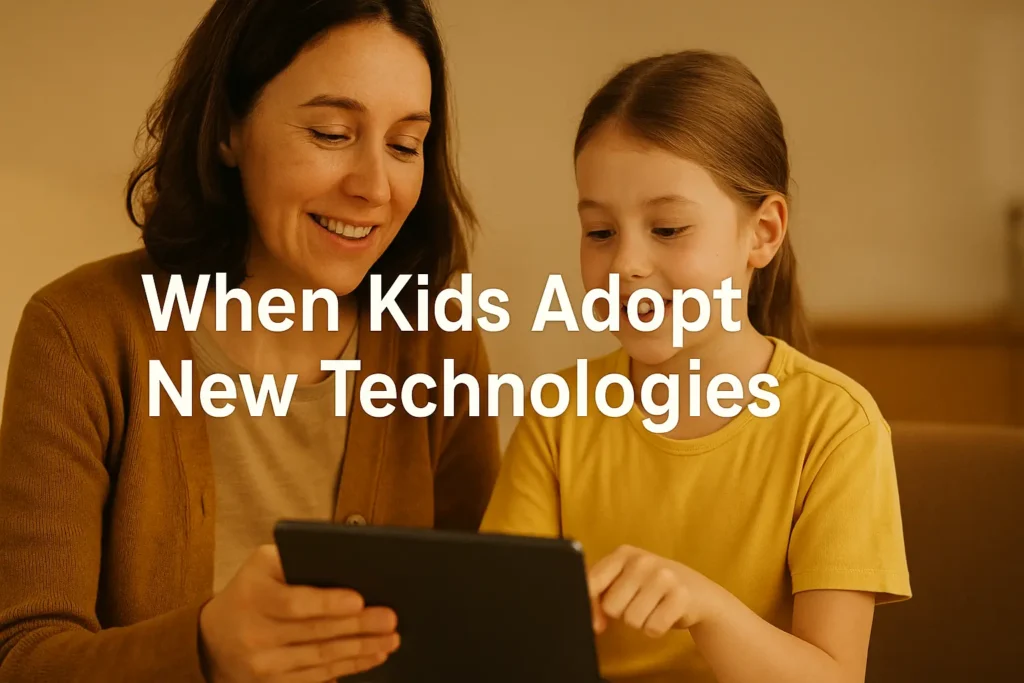
Step 1: Explore Together
Sit with your child the first time they use a new device or app.
Ask questions like:
- “What do you think this button does?”
- “What do you want to create with this?”
This builds trust and awareness.
Step 2: Set Clear, Kind Boundaries
Tech is great—but balance is essential.
Create simple rules such as:
- Tech time after homework
- Screens off one hour before bed
- No devices during meals
Tip: Use tools like Family Link, Screen Time (iOS), or Bark for monitoring.
Step 3: Choose Age-Appropriate Tools
Not all digital tools are designed with kids in mind. Look for:
- COPPA-compliant apps
- Strong privacy settings
- Simple interfaces
Recommended kid-friendly technologies:
- Amazon Fire Kids Tablet – built-in safeguards
- Osmo Learning Kits – playful and hands-on
- Sphero Mini Robot – beginner-friendly coding fun
Step 4: Encourage Creation, Not Just Consumption
Ask your child to build, design, or solve something.
Good prompts:
- “Can you make a story in this app?”
- “Show me something new you learned.”
- “Let’s create a robot that can go through this maze.”
Step 5: Stay Curious and Involved
Kids model what they see. If you treat tech as a tool—not a babysitter—they will too.
Common Mistakes Parents Should Avoid
Allowing unlimited screen time
Even educational apps lose value when used without limits.
Failing to check privacy settings
Many apps default to public sharing or unwanted notifications.
Assuming kids already know how to stay safe
Digital safety is learned, not instinctive.
Using tech only as entertainment
Technology becomes much more meaningful when tied to creativity, exploration, and learning.
Real-World Examples: What Healthy Tech Adoption Looks Like
Example 1: The Budding Coder
A 9-year-old uses Scratch Jr to build simple animations. Over time, she experiments with logic and begins designing her own mini-games—laying early foundations for computational thinking.
Example 2: The Curious Reader
A reluctant reader becomes enthusiastic when introduced to Epic!, where he can choose from thousands of illustrated books and track progress visually.
Example 3: The Problem-Solving Duo
Two siblings collaborate with a LEGO Boost kit, learning teamwork and engineering skills while arguing far less than when sharing a single iPad.
Tools That Can Support Healthy Tech Adoption
| Purpose | Recommended Tools | Why They Help |
|---|---|---|
| Coding for beginners | Scratch Jr, Sphero Mini, LEGO Boost | Creative, hands-on, confidence-building |
| Safe browsing | Family Link, Qustodio, Bark | Keeps kids protected online |
| Learning games | Osmo, Khan Academy Kids, ABCmouse | Blends play with education |
| Creative expression | Procreate Pocket, Toca Boca Suite, StoryJumper | Encourages imagination |
Final Takeaway
When Kids Adopt New Technologies isn’t something to fear—it’s an opportunity.
When guided thoughtfully, tech becomes a tool for creativity, confidence, learning, and connection. As parents and caregivers, our role isn’t to restrict curiosity but to channel it toward meaningful growth.
FAQs
How much screen time is healthy?
For school-aged kids, experts recommend 1–2 hours of high-quality screen time outside of schoolwork, with breaks.
What age is right for a first phone?
Most experts suggest 10–13, but readiness depends more on maturity, responsibility, and family needs.
Are educational apps actually effective?
Yes—when used intentionally. Apps that encourage creativity, problem-solving, and active engagement tend to offer the best outcomes.
How do I keep my child safe online?
Use parental controls, talk openly about digital behavior, and regularly review app sett

Adrian Cole is a technology researcher and AI content specialist with more than seven years of experience studying automation, machine learning models, and digital innovation. He has worked with multiple tech startups as a consultant, helping them adopt smarter tools and build data-driven systems. Adrian writes simple, clear, and practical explanations of complex tech topics so readers can easily understand the future of AI.