Have you ever stared at an unfamiliar email address in your inbox and thought, “Who is this really from?” Maybe it was a cold pitch that felt slightly off, a missed connection from years ago, or a message that triggered your scam radar. This is where reverse email lookup quietly becomes one of the most useful digital skills you can have.
In the first few minutes of using a reverse email lookup tool, you can often uncover who’s behind an email address, where it likely originated, whether it’s connected to social profiles, and if it’s been flagged for spam or fraud. In a world where inboxes are flooded with marketing emails, phishing attempts, and automated outreach, knowing how to verify an email sender isn’t just convenient—it’s essential.
In this guide, I’ll walk you through what reverse email lookup really is, how it works in practice, and how real people use it every day to protect themselves, reconnect with others, and make smarter decisions online. You’ll also learn how to do it step by step, which tools actually work, and what mistakes to avoid so you don’t waste time or draw the wrong conclusions.
If you’ve ever wanted clarity instead of guesswork when dealing with unknown email addresses, you’re in the right place.
What Is Reverse Email Lookup and How Does It Actually Work?
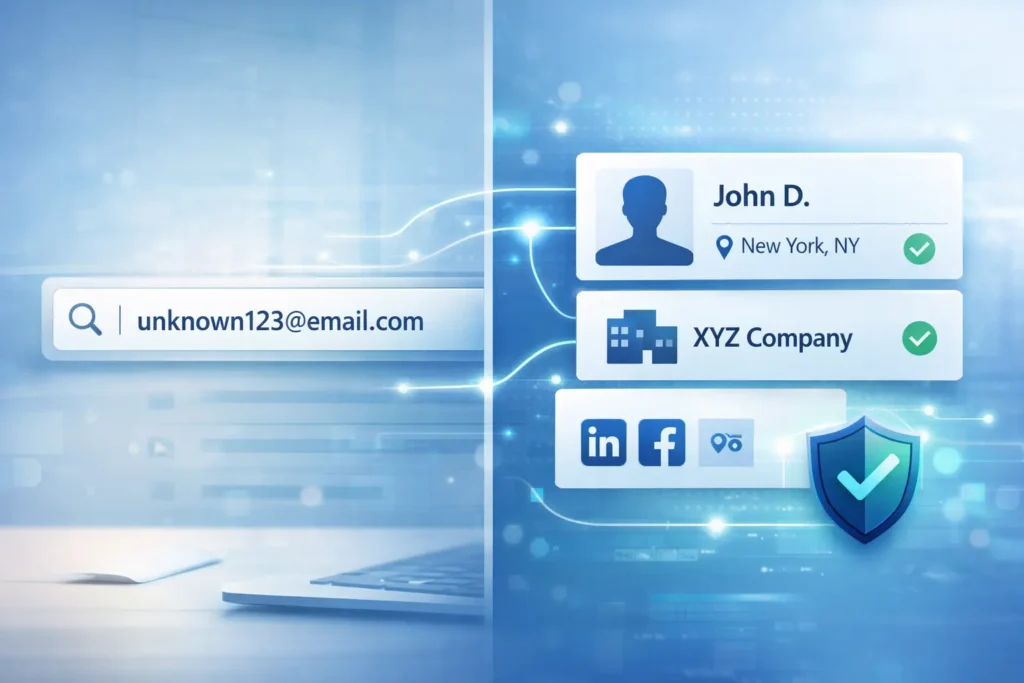
At its core, reverse email lookup is the process of taking an email address and searching the web, databases, and public records to find information associated with it. Think of it as doing a background check—but starting with an email instead of a name or phone number.
A helpful analogy is caller ID for email. When someone calls you, you can often see their name or location before answering. Reverse email lookup aims to give you that same context before you reply, click a link, or trust the sender.
When you enter an email address into a lookup tool, several things happen behind the scenes. The system scans multiple data sources, which may include:
- Public records and business listings
- Social media platforms and online profiles
- Marketing databases and email breach records
- Domain registrations and company websites
Based on what it finds, you might see a name, location, job title, company, social links, or risk indicators tied to that email.
Not every email address will return a full profile. Personal Gmail or Outlook addresses can be harder to trace unless they’ve been used publicly. Business emails, on the other hand, often leave a much larger digital footprint.
The key thing to understand is that reverse email lookup doesn’t “hack” anything. It simply connects dots that already exist across the public web and licensed databases. Used responsibly, it’s a powerful way to verify identity, reduce risk, and make informed decisions online.
Why Reverse Email Lookup Matters in the Real World
Reverse email lookup isn’t just a niche tool for investigators or tech professionals. It’s something everyday people use for very practical reasons, often without even realizing it has a name.
One of the biggest benefits is peace of mind. When you know who you’re dealing with, you communicate differently. You’re more confident responding to a legitimate opportunity and more cautious when something feels off.
Here are some common real-world scenarios where reverse email lookup proves invaluable:
- Identifying potential scams before clicking links or sending money
- Verifying a recruiter, freelancer, or business contact
- Reconnecting with someone from your past using an old email address
- Screening inbound sales or partnership emails
- Checking if your own email address has been exposed in data breaches
For example, a small business owner might receive a partnership proposal from an unfamiliar domain. A quick lookup could reveal whether the sender is tied to a real company or a throwaway address used for mass outreach.
Parents often use reverse email lookup to check who’s contacting their children. Freelancers use it to vet clients before starting work. Even online daters rely on it to verify that a person is who they claim to be.
The common thread is trust. Reverse email lookup gives you context so you can decide how much trust an email deserves before you engage.
Benefits and Use Cases: Who Should Use Reverse Email Lookup?
Reverse email lookup shines because it’s versatile. It serves different goals depending on who’s using it, but the underlying benefit is always clarity.
For individuals, the biggest advantage is personal safety. Unknown emails are one of the most common entry points for scams, phishing, and identity theft. Being able to quickly assess whether an email is linked to real online activity can help you avoid costly mistakes.
Professionals and businesses benefit in a different way. Sales teams use reverse email lookup to enrich leads and personalize outreach. Recruiters use it to verify candidates. Customer support teams use it to identify repeat contacts or potential abuse.
Here are some groups that benefit the most:
- Everyday users wanting to avoid spam or fraud
- Freelancers and consultants vetting new clients
- HR teams and recruiters verifying applicants
- Sales and marketing teams qualifying leads
- Journalists and researchers validating sources
Imagine receiving an email from someone claiming to be a journalist requesting a quote. A reverse email lookup might show whether that email is connected to published work or a known media outlet.
The tool doesn’t make decisions for you, but it gives you enough context to make smarter ones. That’s the real value.
How to Do a Reverse Email Lookup Step by Step
Doing a reverse email lookup is surprisingly straightforward once you know the process. The key is knowing where to start and how to interpret what you find.
Start by copying the full email address you want to look up. Accuracy matters here, especially with business domains.
Next, choose your approach. There are three main methods, and many people use a combination of all three:
Step 1: Use a Dedicated Reverse Email Lookup Tool
This is the fastest and most comprehensive option. Tools designed specifically for reverse email lookup aggregate data from multiple sources at once.
You simply paste the email address into the search bar and review the results. Depending on the tool, you may see names, social profiles, company info, and risk indicators.
Step 2: Search the Email Address Manually
Paste the email address into Google, wrapped in quotation marks. This tells the search engine to look for exact matches.
This method works well for emails that have been posted publicly on websites, forums, or social media profiles. It’s free, but more time-consuming.
Step 3: Check Social Platforms Directly
Some social networks allow you to search users by email, especially if you already have an account. LinkedIn and Facebook are common starting points.
If the email is tied to a professional profile, this method can quickly confirm identity and role.
The best results usually come from combining these steps. Tools give you breadth, while manual searches give you context.
Tools, Comparisons, and Expert Recommendations
Not all reverse email lookup tools are created equal. Some focus on personal identity, others on professional data, and some are better at scam detection.


4
Here’s an honest breakdown of popular options and when to use them.
Paid Tools
BeenVerified
Best for personal identity checks. It pulls from public records and online profiles. The downside is cost and occasional outdated data.
Spokeo
Strong for connecting emails to social profiles and basic identity data. Works well for common addresses.
PeopleFinder
Useful for deeper background context, especially in the U.S., but less focused on business emails.
Professional and Marketing Tools
Hunter.io
Excellent for business email verification and domain-level insights. Not ideal for personal emails.
Clearbit
Best for enriching professional profiles and company data. More expensive, but powerful for teams.
Free Options
Google search, social media, and breach-checking sites are helpful starting points. They won’t always give complete answers, but they’re good for initial screening.
As a rule of thumb, use free methods first. If the email really matters or raises concerns, a paid lookup can be worth it.
Common Mistakes People Make (and How to Avoid Them)
One of the biggest mistakes is assuming that no results means no risk. Some scam emails are deliberately new and leave little trace. A lack of data should make you more cautious, not more trusting.
Another common error is over-trusting a single data point. Just because an email is linked to a name doesn’t mean the sender is legitimate. Context matters. Always look for multiple signals that align.
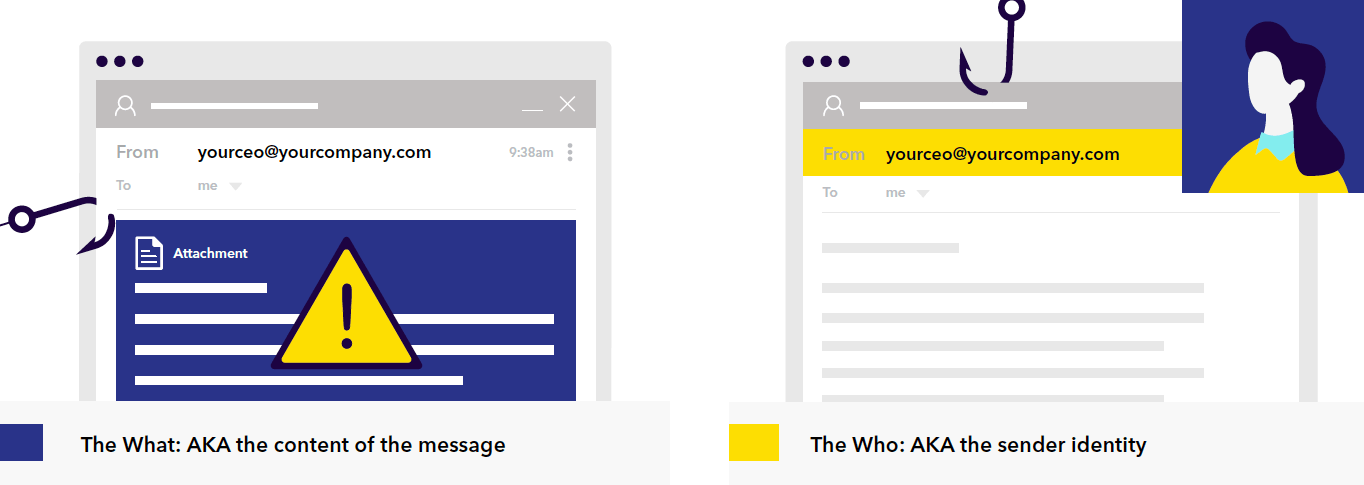
People also forget to check the domain itself. A professional-looking name attached to a suspicious domain is a red flag.
To avoid these issues:
- Cross-check results across multiple sources
- Pay attention to domain quality and spelling
- Look for consistency between name, role, and platform
Reverse email lookup is a tool, not a verdict. Use it as part of a broader judgment process.
Legal, Ethical, and Privacy Considerations
Reverse email lookup is legal when used responsibly, but it’s important to respect boundaries. The information you find should be used for verification and safety, not harassment or discrimination.
Avoid using lookup results to make assumptions about someone’s character. Data can be incomplete or outdated. Always give people the benefit of context.
If you’re using these tools professionally, make sure you comply with data protection laws in your region, especially when storing or acting on personal data.
The Future of Reverse Email Lookup
As data privacy regulations evolve, reverse email lookup tools are changing too. Expect more transparency about data sources and stronger emphasis on consent and accuracy.
At the same time, AI-driven pattern recognition is improving scam detection and identity matching. The future isn’t about revealing more data—it’s about making existing data more reliable and useful.
Conclusion
Reverse email lookup gives you something incredibly valuable in the digital age: context. Instead of guessing who’s behind an email, you can make informed decisions based on real signals.
Whether you’re protecting yourself from scams, verifying a business contact, or simply satisfying your curiosity, learning how to use reverse email lookup properly puts you back in control of your inbox.
If you haven’t tried it yet, start with a free search the next time an unfamiliar email lands in your inbox. You might be surprised how much clarity you can gain in just a few minutes.
FAQs
What is reverse email lookup used for?
It’s used to identify or verify the person or organization behind an email address.
Is reverse email lookup accurate?
Accuracy varies by tool and data availability. Business emails tend to return better results than private ones.
Can I do a reverse email lookup for free?
Yes, using search engines and social media, but paid tools offer deeper insights.
Is reverse email lookup legal?
Yes, when using publicly available or licensed data responsibly.
Does reverse email lookup work on Gmail addresses?
Sometimes, especially if the address has been used publicly or linked to profiles.

Adrian Cole is a technology researcher and AI content specialist with more than seven years of experience studying automation, machine learning models, and digital innovation. He has worked with multiple tech startups as a consultant, helping them adopt smarter tools and build data-driven systems. Adrian writes simple, clear, and practical explanations of complex tech topics so readers can easily understand the future of AI.