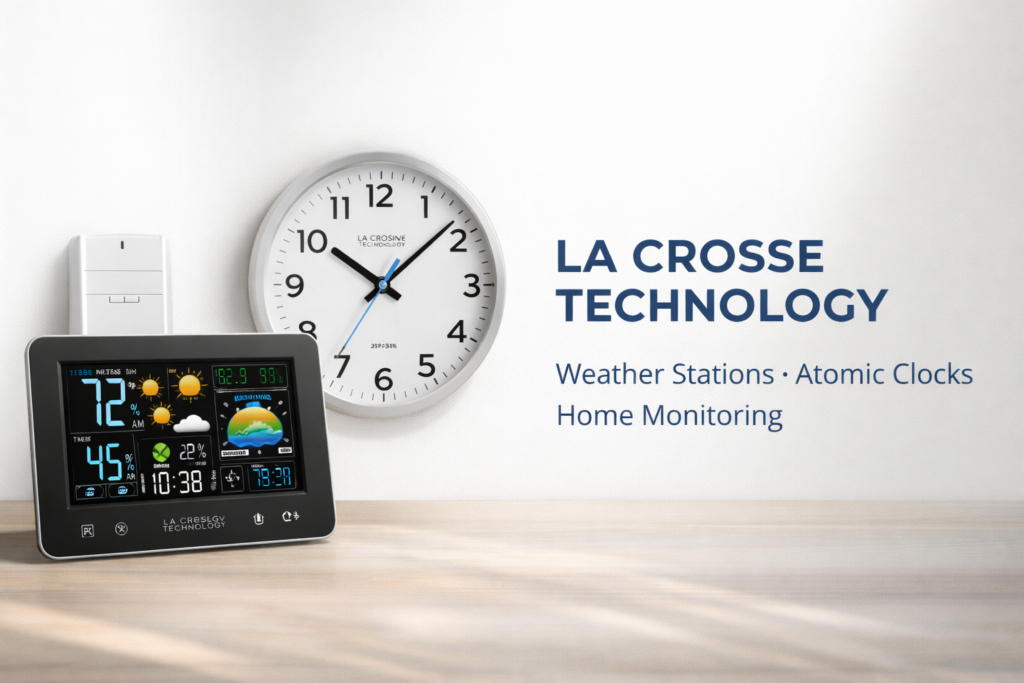
La Crosse Technology has been a trusted name in home weather monitoring and atomic timekeeping since 1985. As an American family-owned company based in La Crosse, Wisconsin, they specialize in wireless weather stations, radio-controlled atomic clocks, and innovative home monitoring systems. Whether you’re looking for accurate backyard weather data, precision timekeeping, or reliable home comfort monitoring, this comprehensive guide covers everything you need to know about La Crosse Technology’s products, features, and support.
About La Crosse Technology: Heritage & Innovation
Company History & Founding
La Crosse Technology was founded in 1985 by Allan McCormick in La Crescent, Minnesota. Originally starting as a distributor of grandfather clocks, the company quickly pivoted toward consumer electronics and time-keeping technology. Today, La Crosse Technology is headquartered in La Crosse, Wisconsin, where it continues to design and support products that bring accurate weather and time information to American homes.
What sets La Crosse Technology apart is its commitment to remaining a family-owned business with strong American roots. The company maintains U.S.-based customer support and product design teams, ensuring that customers receive knowledgeable assistance and products tailored to North American needs.
Key Innovations & Milestones
La Crosse Technology has been at the forefront of consumer weather and time technology for decades:
- 1991: Introduced radio-controlled (atomic) clocks to the U.S. market, revolutionizing home timekeeping accuracy
- 2004: Secured licensing rights for The Weather Channel branded weather stations, bringing professional-grade forecasting to homes
- 2008: Launched the first Internet-powered home weather station, enabling remote monitoring and data sharing
- Present: Continues to innovate with wireless technology, mobile apps like La Crosse View and La Crosse Alerts Mobile, and enhanced monitoring features
Brand Philosophy & Support
La Crosse Technology’s core values center on reliability, innovation, and customer service. The company offers:
- U.S.-based customer support with knowledgeable representatives (Monday-Friday, 8 AM – 6 PM CST)
- Military and first responder discounts as a thank you for service
- 1-year limited warranty on all products
- Extensive online resources including setup guides, troubleshooting videos, and product manuals
- Family-owned business commitment to quality and customer satisfaction
La Crosse Technology Core Product Lines
Wireless Weather Stations & Forecast Stations
La Crosse Technology’s weather stations are designed for homeowners, gardeners, and weather enthusiasts who want accurate, hyperlocal weather data right from their backyard. These systems use wireless outdoor sensors to transmit real-time measurements to an indoor display console.
Key Features Explained
Modern La Crosse weather stations offer a comprehensive suite of monitoring capabilities:
- Wireless Outdoor Sensors: RF (433MHz) sensors transmit temperature, humidity, and sometimes wind/rain data wirelessly to your indoor display. Most sensors have a range of 330 feet (100 meters) in open air, though walls and interference can reduce this.
- Temperature & Humidity Monitoring: Track both indoor and outdoor conditions simultaneously. Advanced models display heat index (how hot it feels) and dew point (moisture levels) for comprehensive climate awareness.
- Barometric Pressure Forecasting: Built-in barometers analyze pressure trends to predict weather 12-24 hours ahead with graphical forecast icons (sunny, cloudy, rainy, snowy).
- Custom Alerts: Set programmable alerts for high/low temperature thresholds, humidity levels, or weather changes to stay informed about conditions that matter to you.
- Atomic Time Synchronization: Many models include atomic clock functionality, automatically syncing with the NIST radio signal (WWVB) for precision timekeeping that never needs manual adjustment.
- Large Display Screens: Easy-to-read LCD displays with adjustable brightness ensure visibility in any lighting condition, from dim bedrooms to bright kitchens.
- AC Power with Battery Backup: Plugs into standard outlets while battery backup preserves settings during power outages.
Popular Model Overview: C85845 Weather Station
The C85845 is one of La Crosse Technology’s best-selling wireless forecast stations, frequently earning “Amazon’s Choice” recognition. Key specifications include:
- Large color display with adjustable brightness
- Wireless outdoor sensor with 330-foot range
- Indoor/outdoor temperature and humidity
- Barometric pressure with 12-hour forecast
- Atomic clock with auto DST update
- Moon phase and calendar display
- AC adapter with battery backup (requires 2 AA batteries)
- Weather-resistant outdoor sensor
Setup Note: For detailed setup instructions, including optimal sensor placement and troubleshooting connectivity issues, see our Setup & Troubleshooting Guide section below.
Atomic Clocks & Radio-Controlled Time
La Crosse Technology pioneered the adoption of radio-controlled atomic clocks in American homes. These clocks receive radio signals from the National Institute of Standards and Technology (NIST) atomic clock in Fort Collins, Colorado, which broadcasts the WWVB radio signal at 60 kHz across North America.
How Atomic Time Works
- The WWVB signal carries precise time data from NIST’s cesium atomic clock, accurate to 1 second in 100 million years
- Your La Crosse atomic clock automatically receives this signal (typically overnight when interference is lowest)
- The clock self-adjusts for Daylight Saving Time changes without manual intervention
- As long as your clock is within range of the WWVB signal (most of North America), it maintains perfect accuracy
Benefits of Self-Setting Clocks
Atomic clocks offer significant advantages for busy households:
- Never set the time manually again – perfect for travel, power outages, or multiple clocks
- Always accurate for time-sensitive tasks, appointments, and schedules
- Automatic DST updates eliminate the twice-yearly clock adjustment chore
- Ideal for offices, schools, and businesses requiring synchronized time
Additional Products & Monitoring Systems
Beyond weather stations and clocks, La Crosse Technology has expanded into comprehensive home monitoring solutions:
- La Crosse View Ecosystem: A Wi-Fi connected platform that allows remote monitoring of weather data, indoor air quality, and environmental conditions via smartphone app. Ideal for vacation homes, greenhouses, or monitoring elderly family members’ home comfort.
- La Crosse Alerts Mobile: Push notification system that sends custom alerts directly to your phone when temperature, humidity, or other monitored conditions exceed your set thresholds.
- Battery Chargers: Rechargeable battery solutions for various applications, continuing La Crosse Technology’s focus on reliable power management.
- Watches & Travel Clocks: Atomic watches and portable clocks for travelers who need accurate time on the go.
Key Benefits: Why Choose La Crosse Technology
Accuracy and Reliability for Your Home
La Crosse Technology products are engineered for precision. Atomic time synchronization ensures your clocks are accurate to the second, while calibrated weather sensors provide data you can trust for decision-making. Whether you’re:
- Planning outdoor activities and need reliable forecasts
- Managing a garden and monitoring frost warnings or heat stress
- Tracking home comfort for health or energy efficiency
- Coordinating schedules where precise timekeeping matters
La Crosse Technology delivers the reliable data you need, without subscriptions or recurring fees.
User-Friendly Design and Setup
La Crosse Technology prioritizes intuitive design, making their products accessible even for non-technical users. Clear LCD displays with large fonts, simple button layouts, and straightforward setup procedures mean you can have your weather station or clock running in minutes.
The company provides comprehensive support including:
- Detailed printed manuals in every product box
- Online knowledge base with searchable troubleshooting articles
- YouTube channel with step-by-step setup and maintenance videos
- Responsive U.S.-based customer service team available via phone and email
Trust and Long-Term Value
When you purchase a La Crosse Technology product, you’re investing in a company with over 35 years of experience in consumer electronics. Key trust factors include:
- American Heritage: Family-owned company headquartered in Wisconsin with U.S.-based design and support teams
- Warranty Protection: 1-year limited warranty on all products, with hassle-free replacement process
- Proven Durability: Weather-resistant outdoor sensors and robust indoor units designed for years of reliable service
- Community Recognition: Consistently high ratings on Amazon, frequent “Amazon’s Choice” awards, and positive customer reviews
- Support for Service Members: Military and first responder discounts honor those who serve
Setup, Support, and Troubleshooting Guide
Getting Started with Your New Device
Successfully setting up your La Crosse Technology weather station or atomic clock ensures optimal performance. Follow these best practices:
- Find Your Model Number: Located on the back or bottom of your device. You’ll need this for accessing specific manuals and support.
- Optimal Outdoor Sensor Placement: Mount sensors in a shaded location away from direct sunlight, at least 5 feet off the ground. Avoid placement near metal siding, HVAC vents, or sources of heat/cold. Ensure line-of-sight to the indoor display when possible for best RF signal strength.
- RF Signal Range: Standard range is 330 feet (100 meters) in open air. Walls, metal objects, and electronic devices can reduce this. If experiencing connectivity issues, move the sensor closer or relocate the indoor display.
- Use Quality Batteries: Fresh alkaline batteries (not rechargeable) provide best performance in outdoor sensors. Low battery voltage is a common cause of connectivity problems.
- Atomic Clock Signal: Place atomic clocks away from electronics that might cause interference (TVs, computers, metal filing cabinets). The WWVB signal is strongest at night, so allow 24-48 hours for initial synchronization.
Common Troubleshooting Steps
Basic Restart Procedure (“Quick Connect”)
If your weather station loses connection with the outdoor sensor, try this simple reset:
- 1. Press and hold the sensor TX (transmit) button on the outdoor sensor for 3 seconds until the LED blinks
- 2. Within 30 seconds, remove batteries from the indoor display console
- 3. Wait 10 seconds, then reinsert batteries
- 4. The display should automatically reconnect to the sensor within 3 minutes
This “quick connect” method resolves most temporary connectivity issues.
Factory Reset for Persistent Issues
If problems persist after a quick connect, perform a full factory reset:
- 1. Remove all batteries from both the outdoor sensor and indoor display
- 2. Unplug the AC adapter from the display (if applicable)
- 3. Press and hold any button on the display for 10 seconds to discharge residual power
- 4. Wait 60 seconds
- 5. Reinstall batteries in the outdoor sensor first, pressing TX button briefly
- 6. Reinstall batteries in the display (or plug in AC adapter)
- 7. Allow 5-10 minutes for the system to fully reconnect and calibrate
Solving Connectivity Problems
If your outdoor sensor repeatedly disconnects or shows dashes instead of readings:
- Check Battery Voltage: Replace sensor batteries with fresh alkaline batteries. Even partially depleted batteries can cause signal issues.
- Reduce Distance/Interference: Move the sensor closer to the display or relocate the display to reduce obstacles. Metal building materials and dense walls significantly reduce signal strength.
- Test Sensor Function: Press the TX button on the sensor. The LED should blink, and the display should update within 1 minute. If not, the sensor may be defective.
- Avoid Electronic Interference: Keep the display away from routers, cordless phones, baby monitors, and other RF devices operating in the 433MHz range.
Accessing Support Resources
La Crosse Technology offers multiple support channels to help you get the most from your products:
- Knowledge Base: Comprehensive online database of FAQs, setup guides, and troubleshooting articles searchable by product model or issue type.
- Product Manuals: Downloadable PDF manuals for every product, including detailed specifications and setup instructions.
- YouTube Support Channel: Video tutorials covering common setup procedures, troubleshooting steps, and maintenance tips.
- Customer Service Helpline: Call (608) 782-1610, Monday-Friday, 8:00 AM – 6:00 PM Central Time. U.S.-based representatives provide personalized assistance.
- Email Support: Submit questions via the contact form on the La Crosse Technology website for responses typically within 24-48 hours.
Pro Tip: When contacting support, have your model number ready and describe what troubleshooting steps you’ve already tried. This helps representatives provide faster, more targeted assistance.
FAQ
Is La Crosse Technology an American company?
Yes, La Crosse Technology is a family-owned American company founded in 1985. They are headquartered in La Crosse, Wisconsin, and maintain U.S.-based product design and customer support teams. While some manufacturing occurs overseas (common in consumer electronics), the company’s operations, innovation, and support remain firmly American.
How does a La Crosse atomic clock work?
La Crosse atomic clocks receive radio signals from the NIST atomic clock in Fort Collins, Colorado, which broadcasts the WWVB signal at 60 kHz. This signal carries precise time data accurate to 1 second in 100 million years. Your clock automatically synchronizes with this signal (usually overnight), adjusting itself for daylight saving time and maintaining perfect accuracy without any manual setting.
What is the wireless range for a La Crosse weather station sensor?
The standard wireless range for La Crosse weather station outdoor sensors is 330 feet (100 meters) in open air conditions. However, actual range depends on obstacles between the sensor and display. Walls, metal siding, electronic devices, and dense building materials can reduce effective range to 100-200 feet. For best results, maintain line-of-sight between sensor and display when possible.
How do I set up my La Crosse weather station?
Basic setup: (1) Install fresh alkaline batteries in the outdoor sensor, then briefly press the TX button to activate it. (2) Within 30 seconds, install batteries in the indoor display or plug in the AC adapter. (3) The display will automatically search for and connect to the sensor within 3-5 minutes. (4) Mount the outdoor sensor in a shaded location away from direct sunlight and heat sources. Consult your specific model’s manual for detailed instructions.
Why is my La Crosse outdoor temperature not showing or disconnected?
The most common causes are: (1) Low battery voltage in the outdoor sensor – replace with fresh alkaline batteries. (2) Excessive distance or interference between sensor and display – move them closer together. (3) Electronic interference from other RF devices – relocate the display. (4) Sensor not properly activated – press the TX button and wait 3 minutes. Try the “quick connect” procedure: press TX button on sensor, then remove and reinsert display batteries within 30 seconds.
Does La Crosse Technology offer a military discount?
Yes, La Crosse Technology offers discounts for active duty military personnel, veterans, and first responders as a thank you for their service. Visit the company’s official website and look for the military/first responder discount program in the footer or contact customer service directly for details on how to verify your status and receive your discount code.
What is the warranty on La Crosse Technology products?
La Crosse Technology offers a 1-year limited warranty on all products from the date of purchase. This warranty covers defects in materials and workmanship under normal use. The warranty does not cover damage from misuse, accidents, or normal wear and tear. To initiate a warranty claim, contact customer service with your proof of purchase and product model number.
What’s the difference between La Crosse View and La Crosse Alerts Mobile?
La Crosse View is a comprehensive Wi-Fi-connected monitoring platform that allows you to remotely view weather data, indoor air quality, and environmental conditions from anywhere via smartphone app. It’s ideal for monitoring multiple locations (vacation homes, rental properties, elderly family members’ homes). La Crosse Alerts Mobile is specifically focused on push notifications – it sends custom alerts to your phone when monitored conditions (temperature, humidity, etc.) exceed your set thresholds. Many users use both systems together for complete remote monitoring and alerting.
Conclusion: Reliable Weather & Time Monitoring Made Simple
La Crosse Technology has earned its reputation as a trusted leader in home weather monitoring and atomic timekeeping through decades of innovation, quality products, and exceptional customer support. Whether you need a basic atomic clock for accurate timekeeping, a comprehensive weather station for backyard climate data, or an advanced monitoring system with mobile alerts, La Crosse Technology offers solutions that combine precision, ease of use, and long-term reliability.
With their American heritage, commitment to customer service, and continuous innovation in wireless technology and smart home integration, La Crosse Technology products deliver value that extends far beyond their initial purchase price. Setup is straightforward, support is readily available, and the peace of mind that comes from accurate, real-time monitoring is invaluable.
Ready to start monitoring? Explore La Crosse Technology’s full product line and find the perfect weather station or atomic clock for your needs. With a 1-year warranty and U.S.-based support, you can buy with confidence.
Note: This comprehensive guide is designed for SEO optimization and provides detailed information about La Crosse Technology products, setup, and support. For the most current product specifications, pricing, and availability, visit the official La Crosse Technology website or authorized retailers.

Adrian Cole is a technology researcher and AI content specialist with more than seven years of experience studying automation, machine learning models, and digital innovation. He has worked with multiple tech startups as a consultant, helping them adopt smarter tools and build data-driven systems. Adrian writes simple, clear, and practical explanations of complex tech topics so readers can easily understand the future of AI.