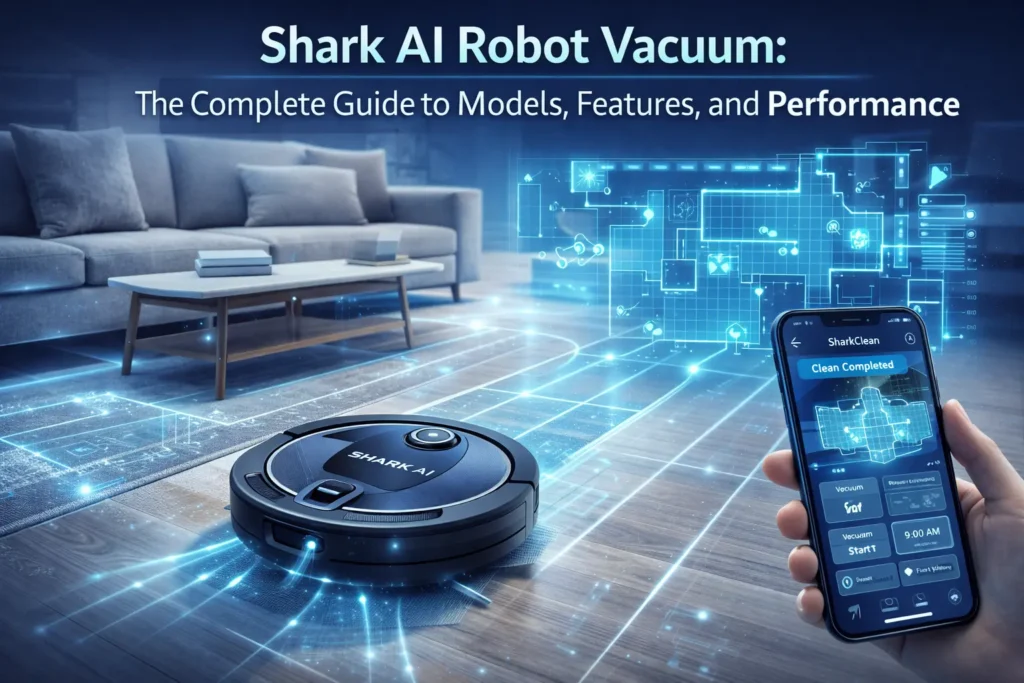
If you’ve ever wished your floors could clean themselves while you focus on the things that actually matter, the Shark AI robot vacuum was built with you in mind. Whether you’re a pet owner battling endless dog and cat hair, a busy parent keeping up with high-traffic zones, or simply someone who hates vacuuming, the Shark AI robot lineup offers a level of intelligent, hands-free cleaning that makes traditional vacuuming feel obsolete.
In this complete guide, we cover everything you need to know — from the core AI Laser Navigation and sonic mopping technology to a full side-by-side model comparison, setup walkthrough, troubleshooting tips, and honest answers to the most common questions. By the end, you’ll know exactly which Shark AI robot is right for your home.
What Is a Shark AI Robot? Understanding the Core Technology
The Shark AI robot is a line of robotic vacuum cleaners manufactured by SharkNinja that combines LiDAR-based laser navigation, advanced object detection, and — on select models — sonic mopping into a single autonomous cleaning system. Unlike older robotic vacuums that bounce around a room randomly, the Shark AI robot builds a precise map of your entire home, plans an efficient cleaning route, and executes it row by row — much like a human would mow a lawn.
The “AI” in the name refers to the onboard intelligence that powers real-time obstacle detection, in-app customization, and continuous learning of your home’s layout. Paired with the SharkClean app, it gives you granular control over where the robot cleans, when it runs, and how it handles different floor types — all from your smartphone.
At the heart of every Shark AI robot is 360-degree LiDAR (Light Detection and Ranging) technology. The rotating laser sensor on top of the unit fires thousands of pulses per second, measuring the distance to walls, furniture, and obstacles to build a detailed floor plan in real time. This process — often called a “training run” — happens automatically the first time you run the robot.
Once the map is complete, the robot uses Matrix Clean navigation to divide your home into a grid and clean each cell systematically in tight, overlapping rows. This row-by-row cleaning pattern ensures no patch of floor is missed — a significant improvement over the random-bounce patterns found in cheaper robotic vacuums.
Key navigation capabilities include:
- Object detection and avoidance — the robot detects and steers around obstacles 4 inches tall or larger, including pet bowls, shoes, and charging cables
- Cliff sensors — automatically detects drop-offs and avoids stairs
- No-go zones — draw virtual boundaries in the app to keep the robot out of specific areas
- Recharge and resume — if the battery runs low mid-clean, the robot returns to its base, recharges, and picks up where it left off
- In-app room labeling and splitting — name rooms, merge spaces, and customize cleaning zones
| PRO TIP | Run the initial mapping session on a day when your furniture is in its normal position and no obstacles are on the floor. A clean first map means better navigation long-term. |
The Cleaning System: Powerful Vacuum + Sonic Mopping
The Shark AI robot’s cleaning system operates on two fronts: vacuuming and mopping. The vacuum side features a self-cleaning brushroll designed to actively remove hair from its own bristles as it rotates, which means less maintenance for you and fewer tangles when cleaning up after pets. Combined with powerful suction and edge-detect sensors that guide the robot along baseboards and into corners, it delivers a thorough clean across all floor types.
For hard floors, compatible models add sonic mopping — a scrubbing action that delivers up to 100 micro-scrubs per minute. Unlike passive mop pads that simply drag a damp cloth across the floor, sonic mopping actively agitates to break up stuck-on messes. It’s particularly effective on dried pet messes, light food spills, and everyday grime on hardwood, tile, and laminate.
On models with Carpet Detect (available in the app), the robot automatically lifts the mop pad when it crosses from hard floor onto carpet — so you never accidentally drag a wet mop over your rugs.
Shark AI Robot Models: Which One Is Best for You?
Shark offers the AI robot lineup across three tiers — entry-level, mid-tier (AI Ultra), and premium (PowerDetect / NeverTouch Pro). The right choice depends on how much hands-off convenience you want and how large your home is. The comparison table below breaks down the key differences at a glance.
| Tier | Model | LiDAR | Self-Empty | HEPA | Mopping | Capacity | Battery | Price |
| Entry-Level | RV2000 Series | Yes | No | No | Yes (Sonic) | 0.6 Qt | 120 min | $$ |
| AI Ultra | AV2501S / AV2510 | Yes | Yes | Yes | Yes (Sonic) | 30-day base | 120 min | $$$ |
| PowerDetect / NeverTouch Pro | RV2820 Series | Yes | Yes | Yes | Yes + Heated Dry | 60-day base | 120 min | $$$$ |
Read on for a deeper breakdown of each tier and who it’s best suited for.
Entry-Level and Core Models (RV2000 Series)
The entry-level Shark AI robots deliver the core experience: 360-degree LiDAR navigation, precision home mapping, object detection and avoidance, and combined vacuuming and sonic mopping — all at the most accessible price point in the lineup.
These models include:
- AI Laser Navigation with full home mapping
- Self-cleaning brushroll for pet hair management
- Sonic mopping (100 scrubs per minute)
- 120-minute battery life with recharge and resume
- SharkClean app with no-go zones and scheduling
- Amazon Alexa and Google Assistant voice control
What the entry-level models don’t include is an automatic self-emptying base — you’ll need to empty the onboard dustbin manually after each cleaning session (typically holds around 0.6 quarts). For single-level homes or smaller spaces, this is a reasonable trade-off for the lower price. For pet owners with heavy shedding breeds, stepping up to the AI Ultra is worth serious consideration.
| BEST FOR | Budget-conscious buyers, small to medium homes, users who don’t mind emptying the dustbin manually after each run. |
AI Ultra Series (AV2501S / AV2510 Series)
The AI Ultra represents the sweet spot in the Shark AI lineup — adding a self-emptying base that automatically evacuates the robot’s dustbin after every cleaning session and stores the debris internally for up to 30 days. That means you can run the robot daily and only interact with the base roughly once a month.
The self-emptying base on the AI Ultra uses a bagless design with True HEPA filtration, capturing 99.97% of allergens, dust, and pet dander as small as 0.3 microns. For households with allergy sufferers, this is a meaningful upgrade — not only does the robot trap fine particles, but the base ensures those particles don’t get re-released when you empty it.
Standout features of the AI Ultra tier include:
- Bagless self-empty base — no bags to buy, just empty the bin when full
- 30-day capacity — over a month of hands-free operation
- True HEPA filtration — 99.97% allergen trapping
- Matrix Clean navigation for systematic, row-by-row coverage
- Extended 120-minute runtime — handles larger floor plans without interruption
- Full mopping suite with in-app no-mop zone controls
| BEST FOR | Pet owners, allergy sufferers, larger homes (1,500+ sq ft), and anyone who wants near-daily automated cleaning without daily maintenance. |
Premium PowerDetect and NeverTouch Pro Models (RV2820 Series)
The PowerDetect and NeverTouch Pro models represent the pinnacle of the Shark AI lineup, designed for homeowners who want the absolute minimum amount of human intervention in their floor cleaning routine. The name says it all: “Never Touch” means you can go weeks — sometimes months — without directly handling the robot or its base.
These models expand the base’s capabilities well beyond simple self-emptying. The NeverTouch Pro base is self-refilling (it automatically refills the robot’s water tank for mopping), washes the mop pads with heated water after each session, and then thermally dries them to prevent mildew — a genuine concern with passive mop systems that stay damp between runs.
Additional premium-tier highlights include:
- 60-day base capacity — twice the AI Ultra’s storage
- Self-refilling water tank — no manual refilling before mopping sessions
- Heated mop pad wash and dry — clean, sanitized pads ready for the next run
- UV Stain Detect — sensors that identify soiled areas and trigger targeted ultra-clean mode
- Dirt Detect and Ultra Clean Mode — on-demand deep cleaning for high-traffic zones
- Full HEPA filtration across both robot and base
| BEST FOR | Large homes, households with multiple pets, anyone with mobility limitations who wants maximum hands-free operation, and those who prioritize hygiene in their mopping routine. |
How to Set Up and Use Your Shark AI Robot
Getting started with a Shark AI robot is straightforward, but a few setup steps make a significant difference in long-term performance. Follow this guide to get your robot mapping, cleaning, and customized to your home within an hour of unboxing.
Step 1: Unboxing and App Download
Before powering anything on, place the charging base on a hard, flat surface against a wall with at least 1.5 feet of clear space on either side and 4 feet of open space in front. This gives the robot enough room to dock and undock cleanly.
Download the SharkClean app from the App Store (iOS) or Google Play (Android) and create your account. Have your home’s Wi-Fi credentials ready — the Shark AI robot requires a 2.4 GHz Wi-Fi network. It is not compatible with 5 GHz-only networks, and many dual-band routers broadcast both frequencies under the same network name, so make sure you’re connected to the 2.4 GHz band during setup.
Once the app is installed, follow the in-app pairing wizard. It will walk you through pressing the robot’s power button, connecting it to your Wi-Fi, and running a connectivity test — the whole process typically takes under 10 minutes.
Step 2: Creating Your First Home Map (The Training Run)
After pairing, the app will prompt you to run an initial mapping session. Tap “Start Mapping” and let the robot run freely — don’t interrupt it or pick it up mid-session. During this run, the LiDAR sensor is scanning every room it can access, building the floor plan from scratch.
A few things to do before the first mapping run:
- Pick up loose cables, charging cords, and small objects from the floor
- Tuck in any hanging curtains or blinds that reach the floor
- Open interior doors to rooms you want included in the map
- Close doors to any rooms or spaces you want excluded
The mapping run typically takes 20 to 40 minutes for a medium-sized home. When it’s complete, you’ll see a floor plan appear in the SharkClean app. At this stage, the map may show your home as one large open space — that’s normal. The next step is to refine it.
Step 3: Customizing No-Go Zones, Room Labels, and No-Mop Zones
This is where the Shark AI robot’s intelligence really shines — and it’s also the step most new owners skip, leading to unnecessary frustrations down the road.
In the SharkClean app, open your floor plan and use the room-splitting tool to divide the map into individual rooms. Label each one (Kitchen, Living Room, Master Bedroom, etc.). Once rooms are defined, you can:
- Create no-go zones — tap and drag to draw a virtual barrier in any area you want the robot to avoid, such as a pet feeding area, a pile of cables, or a fragile floor lamp
- Add no-mop zones — specifically prevents the robot from mopping in designated areas, ideal for protecting carpeted rooms or area rugs
- Set cleaning intensity per room — some rooms may need more frequent or more intensive cleaning than others
- Schedule by room — run the kitchen daily and bedrooms weekly without manual intervention
| NOTE | If your robot keeps getting stuck in the same spot, the fastest fix is to add a no-go zone around that area in the app and create a physical path adjustment if possible (e.g., securing a dangling cable). |
Step 4: Scheduling and Voice Control
Once your map is customized, set up a cleaning schedule in the app. Tap “Schedule” and choose which days, times, and rooms the robot should clean automatically. Most users find that running the robot every 1 to 2 days keeps their home consistently clean with minimal effort.
To connect the robot to Amazon Alexa or Google Assistant, open the respective app and search for the “Shark” skill (Alexa) or action (Google). Link your SharkClean account, and within minutes you can start, stop, pause, or send the robot home using simple voice commands like “Alexa, ask Shark to start cleaning the kitchen.”
faqs
The following questions are based on the most common topics raised by Shark AI robot owners — from performance queries to technical issues. Each answer is designed to give you a clear, honest response.
Does the Shark AI robot work on both carpets and hard floors?
Yes. The Shark AI robot is designed for multi-surface cleaning across hardwood, tile, laminate, and low-to-medium-pile carpet. The Floor Detect feature automatically adjusts suction power when transitioning between surfaces. On models with sonic mopping, the in-app Carpet Detect feature lifts the mop pad automatically when the robot moves from hard floor to carpet, preventing moisture transfer to your rugs.
Will the Shark AI robot fall down the stairs?
No. Every model in the Shark AI lineup includes cliff sensors — downward-facing sensors that detect sudden drops in floor level and immediately instruct the robot to reverse and change direction. The robot will not drive off ledges, steps, or elevated platforms. If your stairs are near an area the robot frequently cleans, you can also add a no-go zone just inside the stair opening as an extra precaution.
How does the self-emptying base work?
On AI Ultra and premium models, the self-emptying base uses suction to automatically evacuate the robot’s dustbin each time it docks. The contents are deposited into a sealed collection chamber inside the base — a bagless design with True HEPA filtration to prevent allergens from escaping. The base stores up to 30 days of debris (60 days on NeverTouch Pro models) before you need to empty the internal chamber. There are no replacement bags to buy.
Is the mopping feature worth it? Does it deep clean?
Sonic mopping delivers effective maintenance cleaning for everyday messes — dried food spills, pet accidents, light dirt, and general grime. The 100 micro-scrubs-per-minute action is meaningfully more effective than passive drag-mop systems. That said, it is not a substitute for manual deep mopping or steam cleaning for heavily soiled floors. Think of it as keeping your floors consistently clean between manual mopping sessions, which many users find reduces how often they need to mop manually.
My Shark robot shows Error 21 or keeps stopping. What should I do?
Error 21 typically indicates a wheel or sensor obstruction. Start by turning the robot upside down and checking both drive wheels — remove any hair, debris, or tangled thread from the wheel axles. Next, wipe the cliff sensors (small dark windows on the robot’s underside) with a dry cloth, as dust buildup can cause false obstruction readings. If the error persists, remove and re-seat the dustbin, restart the robot, and attempt another cleaning run. If the problem continues, a factory reset via the app or a firmware update may resolve the issue.
How often do I need to replace parts?
General replacement guidelines: side brushes every 3 to 6 months depending on usage; filters every 2 to 3 months (wash monthly if reusable, replace when visibly degraded); mopping pads every 1 to 3 months. The self-cleaning brushroll is designed to resist hair tangling, but inspect it monthly and remove any accumulated debris from the end caps. All replacement parts are available through SharkNinja’s official accessories store.
Why is my Shark robot’s map inaccurate or incomplete?
Map inaccuracies usually result from one of three causes: the robot was interrupted during the initial mapping run, the lighting conditions were too dark for the LiDAR to read reflective surfaces accurately, or furniture has moved significantly since the map was created. The solution is to delete the existing map in the app and run a fresh mapping session — this time ensuring the robot completes the full run without interruption and that all rooms are accessible.
Maintenance Tips: Keeping Your Shark AI Robot in Top Shape
A Shark AI robot is a precision appliance, and like any appliance, it performs best when it’s regularly maintained. The good news: most maintenance tasks take under five minutes and need to be done only a few times per month.
Emptying the Dustbin and Self-Empty Base
For models without a self-empty base, remove and empty the dustbin after every 1 to 2 cleaning runs to maintain strong suction. Press the dustbin release button, pull it free, and empty the contents into a trash can. Tap the bin gently to dislodge fine dust from the filter.
For AI Ultra and premium models, the self-empty base handles this automatically. However, you should empty the base’s internal collection chamber when the app notifies you it’s approaching capacity — typically once a month. To do so, lift the lid of the base, remove the internal bin, and empty it into the trash. The True HEPA filter inside the base should be rinsed with water monthly (allow to fully dry before reinserting) and replaced every 6 to 12 months.
Cleaning the Self-Cleaning Brushroll
Despite being self-cleaning in operation, the brushroll benefits from a manual inspection every 2 to 4 weeks. Turn the robot upside down, locate the brushroll door (usually secured with a coin-slot fastener), and open it. Slide the brushroll out and use the cleaning tool (included in the box) or a pair of scissors to remove any hair that has accumulated around the end caps or axle. Reinsert and lock the brushroll before the next use.
If the brushroll appears discolored or heavily worn, replacement brushrolls are available directly from SharkNinja. A worn brushroll can reduce cleaning performance and increase the chance of tangling.
Replacing Filters and Mopping Pads
The robot’s primary filter (usually a foam and HEPA combination) should be rinsed under cool water monthly. Allow it to air dry completely — at least 24 hours — before placing it back in the robot. A wet filter will reduce suction and can damage the motor. Replace the filter entirely every 2 to 3 months, or sooner if suction noticeably decreases.
Mopping pads should be rinsed after each use and machine washed every few runs on a gentle cycle. Replace them every 1 to 3 months depending on usage intensity. For NeverTouch Pro models, the base’s heated mop pad wash and dry function handles this automatically after each session — one of the most genuinely useful features of the premium tier.
Side brushes (the spinning brushes on the robot’s underside corners) wear down over time and should be replaced every 3 to 6 months. Signs of wear include bent or missing bristles, or the robot consistently leaving dirt along baseboards despite running normally.
Final Verdict: Is a Shark AI Robot Vacuum Worth It?
For the right household, a Shark AI robot vacuum is not just worth it — it meaningfully improves day-to-day quality of life. The combination of precision LiDAR navigation, systematic row-by-row cleaning, and hands-free convenience makes it one of the most capable robotic vacuum systems available at its price point.
Here’s a quick summary of who benefits most from each tier:
Entry-Level (RV2000 Series): Best for budget-conscious buyers and smaller homes who want smart navigation without the premium price. You’ll manually empty the dustbin, but otherwise enjoy the full LiDAR mapping and mopping experience.
AI Ultra (AV2501S / AV2510): The best overall value in the lineup. The addition of a self-emptying base with HEPA filtration transforms the cleaning experience from “mostly automatic” to “truly hands-off” for weeks at a time. Highly recommended for pet owners and allergy sufferers.
PowerDetect / NeverTouch Pro (RV2820): The right choice for large homes, households with multiple pets, or anyone who genuinely wants maximum autonomy. The self-refilling mop tank, heated pad washing, and 60-day base capacity make this a luxury appliance that earns its premium price over time.
On the honest side: the Shark AI robot is not perfect. The mopping feature handles maintenance cleaning well but won’t replace a periodic deep mop. Some users with highly complex floor plans or many transitions between carpet and hard floor may need to invest time in refining their home map and no-go zones. And like all robotic vacuums, it works best as part of a cleaning routine — not as a complete substitute for it.
That said, for the vast majority of homes, the Shark AI robot delivers on its core promise: intelligent, consistent, low-effort floor cleaning that runs on your schedule and takes care of itself. For busy families, pet owners, and anyone who wants cleaner floors with less work, it’s a compelling investment that pays dividends every single day.

Adrian Cole is a technology researcher and AI content specialist with more than seven years of experience studying automation, machine learning models, and digital innovation. He has worked with multiple tech startups as a consultant, helping them adopt smarter tools and build data-driven systems. Adrian writes simple, clear, and practical explanations of complex tech topics so readers can easily understand the future of AI.