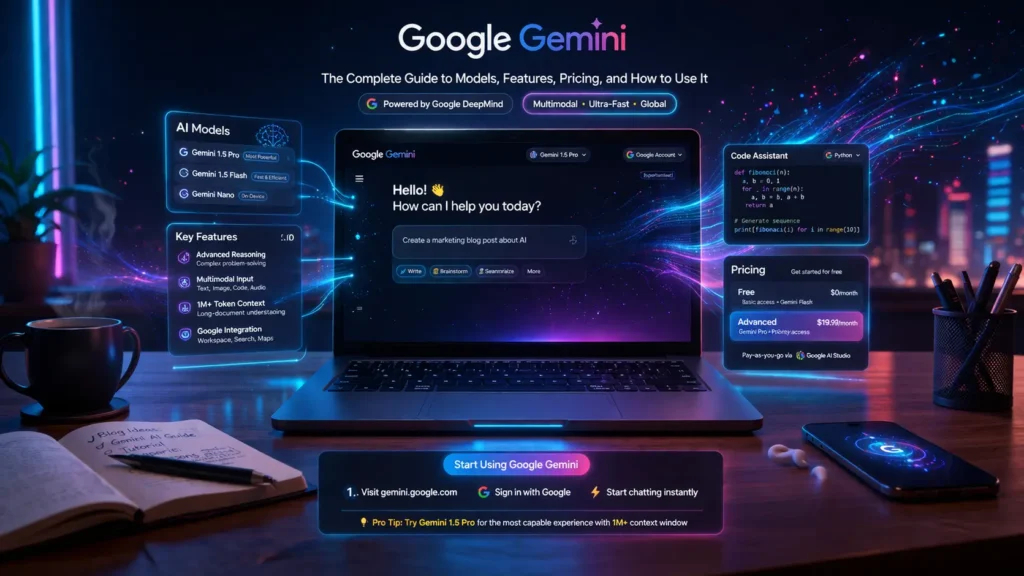
Google Gemini is not just a chatbot. It is a comprehensive family of artificial intelligence models that spans consumer applications, professional developer tools, and cutting-edge scientific research. Whether you are a student looking to summarize notes, a software engineer building AI-powered applications, or a scientist tackling problems in pure mathematics, Gemini has a model, a tool, and a plan designed for your needs.
This complete guide covers everything you need to know about Google Gemini in 2026: the different model tiers, key features, pricing plans, step-by-step tutorials, and how it compares to competing AI platforms such as ChatGPT and Claude.
Note: This guide covers Google Gemini AI, developed by Google DeepMind. It is not related to the Gemini cryptocurrency exchange, which is a separate company and platform.
What Is Google Gemini? Understanding the AI Ecosystem
From AI Assistant to Scientific Collaborator
Google Gemini began its life as a conversational AI assistant but has rapidly evolved into a full AI platform. Developed by Google DeepMind, the combined powerhouse of Google Brain and DeepMind, Gemini is architected from the ground up to be multimodal — meaning it can understand, reason across, and generate text, code, images, audio, and video.
Unlike earlier AI models that were primarily text-based, Gemini processes multiple types of information simultaneously. A single Gemini prompt can incorporate a research paper (as a PDF), a photograph, and a spreadsheet of data, and the model will synthesize all three into a coherent, actionable response.
Today, Gemini powers a spectrum of use cases: from helping a teenager brainstorm a school essay, to assisting a genomics researcher in identifying patterns across thousands of scientific papers, to helping software teams write, debug, and refactor entire codebases.
The Core Models Explained
Gemini is not a single model — it is a family. Each tier is optimized for a different balance of speed, cost, and capability. Understanding which model to use is the key to getting the most out of the platform.
| Feature | Gemini Flash (Free) | Gemini 3 Pro | Gemini 3.1 Pro | Gemini Deep Think |
| Best For | Quick tasks, everyday use | Complex tasks, multimodal | Advanced reasoning, power users | Scientific research, math |
| Speed | Fastest | Fast | Moderate | Slower (deeper reasoning) |
| Context Window | 1M tokens | 1M tokens | 1M tokens | 1M tokens |
| Multimodal | Yes | Yes (enhanced) | Yes (advanced) | Yes (research-grade) |
| Availability | Free plan | Free/Plus | Plus/Pro/Ultra | Ultra only |
| Deep Research | No | Limited | Yes | Yes (full) |
Flash models prioritize speed and efficiency, making them ideal for high-frequency, lower-complexity tasks. Pro models offer a powerful balance of performance and depth, suitable for most advanced user and developer workflows. Deep Think is Google’s most capable reasoning engine, purpose-built for scientific and mathematical problems that require sustained multi-step thinking.
The 1 Million Token Context Window
One of Gemini’s most technically significant advantages is its 1 million token context window — one of the largest available in any commercial AI model as of 2026. To put this in practical terms:
- 1 million tokens is equivalent to approximately 1,500 pages of a typical book
- It can hold roughly 30,000 lines of code in a single conversation
- A researcher can upload an entire dissertation, multiple journal articles, and supplementary data, and ask Gemini to reason across all of it at once
This context capacity fundamentally changes what is possible with an AI assistant, enabling true document-level comprehension rather than paragraph-level summaries.
Key Features & Capabilities: A Deep Dive
Content Creation: Words, Images, and Video
Canvas — The AI Writing and Coding Studio
Canvas is Gemini’s dedicated workspace for long-form content creation and coding. Unlike a standard chat interface where responses scroll away, Canvas pins your document or code in a persistent, editable panel. You can ask Gemini to revise specific sections, adjust the tone, add citations, or expand arguments — all without losing context of the full document.
For developers, Canvas functions as a lightweight IDE substitute, allowing you to write, test-plan, and iteratively refine code with AI guidance embedded directly into the workflow.
Image Generation: Imagen (Nano Banana & Nano Banana Pro)
Gemini’s image generation capabilities are powered by Google’s Imagen technology. Through the Nano Banana model (available in paid tiers) and the more advanced Nano Banana Pro (Ultra plan), users can generate photorealistic images, illustrations, and design mockups directly from natural language descriptions. The system supports style controls, aspect ratio selection, and iterative editing of generated images.
Video Generation: Veo 3 and Veo 3.1 Fast
Video generation is one of the most headline-grabbing features in Gemini’s toolkit. Powered by the Veo 3 and Veo 3.1 Fast models, users on paid plans can generate short video clips from text prompts or existing images. Veo 3.1 Fast is optimized for rapid generation of shorter clips, while Veo 3 delivers higher-quality output for longer or more complex scenes.
Video generation is governed by an AI credits system. Each paid plan includes a monthly allotment of credits, with higher-tier plans receiving more. Credits are consumed per generation based on video length and quality settings.
Advanced Research and Learning
Deep Research
Deep Research is Gemini’s agentic research assistant. When activated, it autonomously searches hundreds of websites, academic databases, and online sources, synthesizes the findings, and produces a structured report with citations. The process typically takes a few minutes and produces outputs that would take a human researcher hours or days.
Deep Research is particularly powerful when combined with the 1M token context window. A user can ask Gemini to research a topic, produce a report, and then ask follow-up questions that reference specific parts of the generated report — all within the same conversation.
Gemini Live
Gemini Live enables real-time, conversational voice interaction with Gemini. Unlike standard typed prompts, Live supports back-and-forth spoken dialogue, allowing users to interrupt, redirect, and respond naturally. On Android devices, Gemini Live can control device functions such as playing music, setting alarms, and managing calendar entries, making it a true voice-driven AI assistant.
Study Plans and Educational Features
For students, Gemini can generate personalized study plans, create quizzes from uploaded lecture notes, simplify complex topics into accessible explanations, and produce audio overviews — a narrated summary of a document or topic that can be played back like a podcast.
Developer Tools and Code Assistance
Gemini Code Assist and Agent Mode
Gemini Code Assist is a full-featured AI coding assistant integrated directly into popular IDEs including Visual Studio Code, IntelliJ IDEA, and the Zed editor. In standard mode, it provides inline code suggestions, documentation lookups, and bug explanations. In Agent Mode, it goes further: it can understand a high-level task description, break it into sub-tasks, write the necessary code, run tests, and iterate — all without step-by-step instruction from the developer.
Gemini CLI
The Gemini Command Line Interface (CLI) brings AI assistance directly into the terminal. Developers can query Gemini, run agentic workflows, and interact with the Gemini API without leaving their command-line environment. This is particularly valuable for DevOps engineers, system administrators, and backend developers who prefer terminal-based workflows.
Gemini API and Google AI Studio
Google AI Studio is the primary interface for developers who want to experiment with and build on Gemini models via the API. It provides a prompt testing environment, model comparison tools, and one-click code export in Python, JavaScript, and other languages. The Gemini API supports features including:
- Grounding with URL context — reducing hallucinations by anchoring responses to specific web pages or documents
- Gemini Embedding — converting text into vector representations for semantic search and RAG (Retrieval-Augmented Generation) applications
- LangExtract — an open-source Python library for structured data extraction from unstructured documents
- Vertex AI integration — for enterprise-grade deployment on Google Cloud with access controls, logging, and SLA guarantees
Integration with the Google Ecosystem
One of Gemini’s most significant competitive advantages is its deep integration across Google’s consumer and enterprise product suite. No competitor has equivalent native access to this breadth of applications.
Google Workspace Integration
For subscribers to Google AI Plus, Pro, and Ultra plans, Gemini is embedded directly within Workspace applications:
- Gmail: Gemini can draft emails from bullet points, summarize long email threads, identify action items, and suggest responses.
- Google Docs: Provides in-document writing assistance, summarization, and the ability to generate first drafts from a prompt.
- Google Vids: Gemini can help script, narrate, and auto-generate short video content within the Vids environment.
- Google Drive: Gemini can search across Drive content semantically, summarize documents without opening them, and synthesize information across multiple files.
Consumer App Integrations
- YouTube: Gemini can summarize video content, answer questions about a video’s subject matter, and assist with content creation.
- Google Maps: Integrations support itinerary planning, local recommendations, and conversational exploration of places.
- Google Calendar: Gemini Live can schedule events, provide daily briefings, and help manage time across your calendar.
- Chrome: AI-assisted browsing features, including page summarization and contextual search suggestions.
- Android XR: Gemini powers AI features on Android XR devices, Google’s extended reality hardware platform.
Pricing and Subscription Plans (2026)
Google offers Gemini through four distinct tiers, each designed for a different level of usage and capability. The table below provides a full breakdown.
| Plan | Price/mo | Key Features | Models Included | Storage |
| Free | $0 | Gemini Live, basic image gen, Gems | Gemini 3 Flash | 15 GB |
| Google AI Plus | $7.99 | Gemini in Gmail & Docs, more video/audio credits, Canvas | Gemini 3 Flash + 3.1 Pro | 200 GB |
| Google AI Pro | $19.99 | Jules coding agent, higher rate limits, Gemini CLI/Code Assist | Flash + 3.1 Pro + enhanced limits | 2 TB |
| Google AI Ultra | $249.99 | Deep Think, Gemini Agent (US), YouTube Premium, all features | All models including Deep Think | 30 TB |
Understanding AI Credits
AI credits are the currency for computationally intensive generation tasks, primarily video creation. Each plan includes a monthly credit allocation that resets at the start of your billing cycle. Credits are consumed at different rates depending on:
- Video length (longer clips cost more credits)
- Video quality setting (higher resolution = more credits)
- The model used (Veo 3 uses more credits than Veo 3.1 Fast)
Image generation tasks do not consume AI credits on most plans but may be subject to daily generation limits. It is important to review the current credit schedule in your account settings, as these rates are subject to adjustment.
Rate Limits and Fair Use
Each plan comes with defined rate limits — caps on how many requests can be made per minute, hour, or day. Free tier users have the most restrictive limits, while Ultra subscribers have the highest throughput. Developers building production applications should consider the Google AI Pro plan at minimum, or evaluate Vertex AI for enterprise-scale deployment with customizable rate limit agreements.
How to Use Gemini: Step-by-Step
Getting Started: Web, App, and CLI
Accessing Gemini requires a Google Account and takes less than two minutes to set up.
- Go to gemini.google.com or download the Gemini app on iOS or Android.
- Sign in with your Google Account. Free tier access is immediate — no credit card required.
- Select a model from the top of the interface. Gemini Flash is the default on the free tier.
- Type your prompt in the chat box, or tap the microphone to use Gemini Live for voice input.
- Attach files (PDFs, images, code files) using the paperclip icon to give Gemini additional context.
For CLI access, install the Gemini CLI via npm (npm install -g @google/gemini-cli) and authenticate with your Google credentials. The CLI supports all core Gemini capabilities from the terminal.
Creating Your First Gem (Custom Expert)
Gems are customized Gemini personas that you configure with specific instructions, tone preferences, and uploaded reference documents. Think of a Gem as a specialist you can summon at any time.
To create a Gem:
- Navigate to the Gems section in the Gemini sidebar and click ‘Create a Gem’.
- Give your Gem a name (e.g., ‘Career Coach’, ‘Python Reviewer’, ‘Legal Summarizer’).
- Write a system instruction defining the persona, its expertise, and how it should respond. Example: ‘You are an experienced career coach specializing in tech industry transitions. When I share my resume or describe my experience, provide specific, actionable feedback on how to improve my positioning for senior product management roles.’
- Optionally upload reference files — a sample resume, a job description, or a style guide — for the Gem to draw on.
- Save the Gem. It will now appear in your sidebar, ready to launch with full context preserved from your setup instructions.
Practical Use Cases with Example Prompts
Brainstorming and Ideation
Prompt: ‘I am launching a sustainable pet food brand targeting millennial dog owners in urban areas. Give me 10 unique brand name ideas, a one-line positioning statement for each, and flag which ones would be easiest to trademark.’
Email Summarization (via Gmail Integration)
With Gemini in Gmail (Plus/Pro/Ultra): Open a lengthy email thread and click the Gemini icon. Prompt: ‘Summarize this thread in 3 bullet points and identify any action items assigned to me.’
Code Review and Debugging
Prompt (in Code Assist or CLI): ‘Here is my Python function for parsing CSV files. Identify any edge cases it doesn’t handle, suggest error handling improvements, and rewrite it with type annotations.’
Trip Planning
Prompt: ‘I have 5 days in Lisbon in October with a budget of €150/day. Create a day-by-day itinerary with morning, afternoon, and evening activities, restaurant recommendations for each day, and estimated costs. Format it as a table.’
Deep Research Report
Prompt (using Deep Research mode): ‘Produce a research report on the current state of solid-state battery technology, covering: (1) leading companies, (2) key technical challenges remaining, (3) projected commercialization timeline, and (4) implications for the EV market. Include citations.’
Gemini for Scientific Research and Enterprise
Beyond consumer and developer use, Google DeepMind has positioned Gemini Deep Think as a serious tool for scientific discovery. This section is relevant for researchers, academics, and enterprise teams working on advanced problems.
Breakthrough Mathematical Reasoning
Gemini Deep Think has demonstrated performance at or near the level of gold medalists on International Mathematical Olympiad (IMO) problems — a benchmark that has historically been considered beyond the reach of AI systems. Through the IMO-ProofBench evaluation framework, Deep Think can construct formal mathematical proofs, not merely produce plausible-sounding answers.
In competitive mathematics, Deep Think has contributed to solutions for long-standing problems including variants of the Max-Cut problem in graph theory and the Steiner Tree optimization problem — results accepted for presentation at STOC ’26, one of the premier theoretical computer science conferences.
Physics and Scientific Discovery
DeepMind researchers have used Gemini-powered agentic workflows to accelerate research in theoretical physics, including work on cosmic string dynamics. In these workflows, Gemini acts as a collaborative research partner: searching literature, proposing mathematical frameworks, checking derivations, and drafting sections of research papers.
Critically, the AI-assisted research workflow uses a formal taxonomy to classify the level of AI contribution in any given paper (Level 2: AI assists drafting; Level 3: AI proposes novel approaches; Level 4: AI-driven discovery with human verification). This transparent methodology addresses reproducibility and attribution concerns that are central to scientific peer review.
Enterprise Deployment: Vertex AI and Agentic Workflows
For enterprise customers, Gemini is available through Google Cloud’s Vertex AI platform. Vertex AI provides:
- Private model endpoints with data isolation (inputs are not used for model training)
- Custom fine-tuning of Gemini models on proprietary data
- Multi-agent orchestration frameworks for building complex automated workflows
- Integration with enterprise security, IAM (Identity and Access Management), audit logging, and compliance tools
- SLA-backed uptime guarantees and enterprise support contracts
Google Gemini vs. The Competition
The generative AI market has matured into a competitive landscape with several capable platforms. Here is how Gemini compares to the two most prominent alternatives.
| Feature | Google Gemini | ChatGPT (OpenAI) | Claude (Anthropic) |
| Multimodal (text, image, video, audio) | Yes — native across all modalities | Yes (with tools) | Text + image (limited video) |
| Context Window | 1M tokens | 128K tokens | 200K tokens |
| Google Ecosystem Integration | Deep (Gmail, Docs, Maps, YT) | Limited (via plugins) | None (third-party) |
| Free Tier | Yes — Gemini Flash | Yes — GPT-4o mini | Yes — Claude Haiku (limited) |
| Video Generation | Yes — Veo 3.1 (paid plans) | Yes — Sora (limited) | No |
| Scientific Research Tools | Yes — Deep Think, IMO-level math | Limited | Strong (reasoning), no dedicated tools |
| Coding Agent | Jules (Pro/Ultra), Code Assist, CLI | Codex / ChatGPT-coded interpreter | Claude Code (terminal agent) |
The key differentiators for Gemini are: the depth of Google ecosystem integration (unmatched by any competitor), the industry-leading 1M token context window, and the breadth of the model family from speed-optimized Flash to research-grade Deep Think. For users already embedded in the Google ecosystem, Gemini offers a productivity multiplier that no other platform can replicate in the same seamless way.
Responsible AI and Safety
Google has invested heavily in responsible AI frameworks for Gemini. Key safety and transparency measures include:
Reducing Hallucinations
Gemini’s grounding technology anchors model responses to verifiable sources. For research and factual queries, users can enable URL context grounding, which forces the model to reference specific web pages or documents when generating responses. A natural language verifier component cross-checks claims against the provided sources and flags potential inconsistencies before delivering a response.
Transparency in AI-Assisted Research
For academic and scientific applications, Google has published a formal Human-AI Interaction card — a structured disclosure document that describes how AI was used in a given research project, to what degree, and what human verification steps were applied. This aligns with growing journal requirements for AI disclosure in submitted papers.
Safety Evaluations
All Gemini models undergo continuous red-teaming and adversarial safety evaluation before deployment. Google publishes periodic safety reports covering model performance on benchmarks measuring harmful content generation, bias, factual accuracy, and robustness against prompt injection attacks.
faqs
What is the difference between Gemini 3 and Gemini 3.1 Pro?
Gemini 3 is the current base generation of Google’s AI, available across multiple tiers — Flash is the free-tier version optimized for speed. Gemini 3.1 Pro is a significantly more capable variant of the same generation, designed for complex reasoning, nuanced writing, and advanced coding tasks. It is available on the Plus, Pro, and Ultra paid plans. Think of Flash as your everyday workhorse and 3.1 Pro as the specialist you call in for demanding tasks.
Is Google Gemini free to use?
Yes. The free tier provides access to Gemini 3 Flash, Gemini Live (voice mode), basic image generation, and Gems via the Gemini app and web interface. Free users receive 15GB of Google storage. There are no trial periods or credit cards required to access the free tier. Limits apply to daily usage, but for light to moderate personal use, the free plan is genuinely capable.
Can Gemini generate videos?
Yes, with models powered by Veo 3 and Veo 3.1 Fast. Video generation is available on the Google AI Plus, Pro, and Ultra plans. It is not available on the free tier. Generation uses AI credits, which are allocated monthly based on your plan. Veo 3.1 Fast is the default for most users on Plus/Pro, while Veo 3 delivers higher-quality output on Pro and Ultra plans.
What is the 1 million token context window?
The context window is the total amount of text, code, or other data that Gemini can process and reason about in a single conversation. At 1 million tokens, Gemini can hold approximately 1,500 pages of text or 30,000 lines of code in active memory simultaneously. This is critical for tasks like analyzing an entire legal contract, summarizing a full book, or reviewing a large codebase — tasks where smaller context windows force artificial chunking that loses important inter-document relationships.
How is Gemini used for coding?
Gemini provides coding assistance through multiple interfaces: Gemini Code Assist integrates directly into VS Code, IntelliJ, and Zed as an IDE extension; Gemini CLI brings AI assistance to the terminal; and the Gemini API allows developers to build custom AI-powered tools and applications. For complex multi-file tasks, Agent Mode in Code Assist can operate autonomously — planning, writing, testing, and refining code without step-by-step prompting.
What are Gems in Gemini?
Gems are personalized AI experts that you configure once and reuse whenever you need them. You define the persona, the area of expertise, the communication style, and optionally upload reference documents. Once saved, your Gem retains all of those instructions in every conversation, eliminating the need to re-explain context. Common use cases include: a career coach with your resume uploaded, a Python code reviewer aligned to your project’s style guide, or a customer support assistant trained on your company’s FAQ.
No. These are entirely separate entities. Google Gemini is the AI model family developed by Google DeepMind, a division of Alphabet Inc. The Gemini Exchange is a cryptocurrency trading platform founded by Tyler and Cameron Winklevoss. The two share a name by coincidence and have no corporate, technological, or operational connection. When searching online, including ‘Google’ or ‘AI’ in your search terms will ensure you reach the correct product.
Which Gemini plan is right for me?
Free: Best for students, casual users, and anyone who wants to explore AI without financial commitment. Handles everyday writing, summarization, and learning tasks well.
Google AI Plus ($7.99/mo): Best for professionals who want Gemini integrated into Gmail and Google Docs, plus improved access to the more capable 3.1 Pro model and basic video/image generation.
Google AI Pro ($19.99/mo): Best for software developers and power users who need the Jules coding agent, higher API rate limits, and substantial storage.
Google AI Ultra ($249.99/mo): Best for researchers, data scientists, and enterprises who need Deep Think’s advanced reasoning, the highest generation limits, and bundled services including YouTube Premium.
Conclusion
Google Gemini in 2026 is a genuinely different kind of AI platform than what the category offered just a few years ago. The combination of a 1 million token context window, native multimodality, deep Google ecosystem integration, and a model family that stretches from consumer-grade Flash to research-grade Deep Think makes it the most comprehensive single AI platform available.
For most users, the free tier or the $7.99 Plus plan will provide a meaningful upgrade to their daily productivity. For developers, the combination of Code Assist, the Gemini CLI, and the API represents a powerful toolkit for building the next generation of AI-powered applications. And for researchers, Deep Think’s demonstrated ability to contribute to peer-reviewed mathematics and physics places it in a category of its own.
The AI landscape is evolving quickly, and Google’s pace of Gemini development has been relentless. The best way to stay current is to experiment directly with the platform — the free tier provides more than enough capability to form an informed view.

Adrian Cole is a technology researcher and AI content specialist with more than seven years of experience studying automation, machine learning models, and digital innovation. He has worked with multiple tech startups as a consultant, helping them adopt smarter tools and build data-driven systems. Adrian writes simple, clear, and practical explanations of complex tech topics so readers can easily understand the future of AI.